TABLE OF CONTENTS
Overview
Trigger Name
Trigger Description
How to Configure
Example
Overview #
Group Access Revoked trigger in aixiosworkflows automates the process of managing group access within a community, allowing you to revoke access when necessary and streamline community interactions.
Trigger Name #
Group Access Revoked
Trigger Description #
The “Group Access Revoked” trigger activates when a user’s access to a specific group within a community is revoked. This allows for automated notifications and actions to inform users of changes to their group access.
How to Configure #
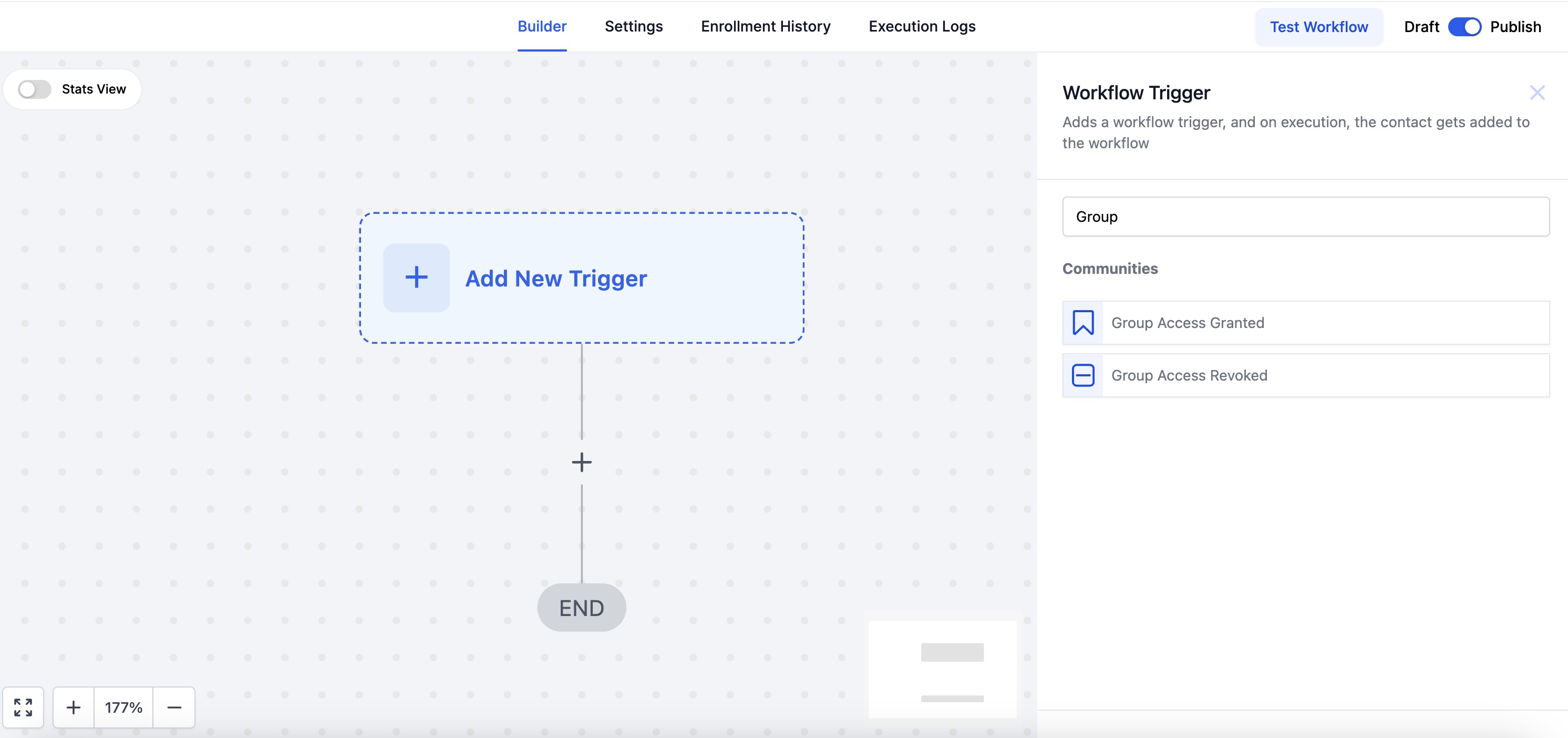
- Navigate to the Workflow Builder: Access the Workflow Builder in your aixios account.
- Create a New Workflow:
- Click on “Create a Workflow.”
- Select the relevant trigger type: “Group Access Revoked.”
- Configure Trigger Details:
- Specify which group access is being revoked.
- Add any subsequent actions you wish to automate (e.g., sending notifications or updating user records).
- Test Your Workflow: Ensure that the workflow operates as expected by testing it in a controlled environment.
- Save and Activate: Once confirmed, save your workflow and activate it for use.

Example #
For instance, if a user violates the community guidelines in a professional networking group, you can set up a workflow that automatically revokes their access to the “Job Postings” group. This ensures they no longer receive updates about job opportunities and can no longer post their own job listings.


