TABLE OF CONTENTS
What is Failed Payment Retry Configuration?
Key Benefits of Failed Payment Retry Configuration
How to Configure Failed Payment Retries
Example Scenario
Supported Payment Providers
Frequently Asked Questions
What is Failed Payment Retry Configuration? #
With the latest update, businesses can now configure automatic payment retries in case of a payment failure for subscriptions. This feature allows greater flexibility in managing payment failures and ensures a smoother subscription renewal process.
Key Benefits of Failed Payment Retry Configuration #
Configuring failed payment retries provides several advantages:
- Customizable Retry Attempts – Define up to 3 retries based on business needs, with configurable gaps of 1, 3, 5, or 7 days between each retry.
- Default Retry Setup – By default, the system is configured to attempt 3 retries with a gap of 1 day each, but this can be modified as needed.
- Impact on Existing and New Subscriptions – Changes in retry settings will apply to both new and existing subscriptions, ensuring uniformity across all transactions.
- Subscription Handling on Failure – If all retries fail, users have the option to either keep the subscription in an ‘Unpaid’ state or automatically move it to a ‘Cancelled’ state by selecting a checkbox in the settings.
How to Configure Failed Payment Retries #
Configuring payment retries is simple and can be done in a few steps:
- Navigate to Subscription Settings – Go to
Payments > Settings > Subscriptionin your account. - Define Retry Attempts – Select the number of retries (up to 3) based on your business requirements.
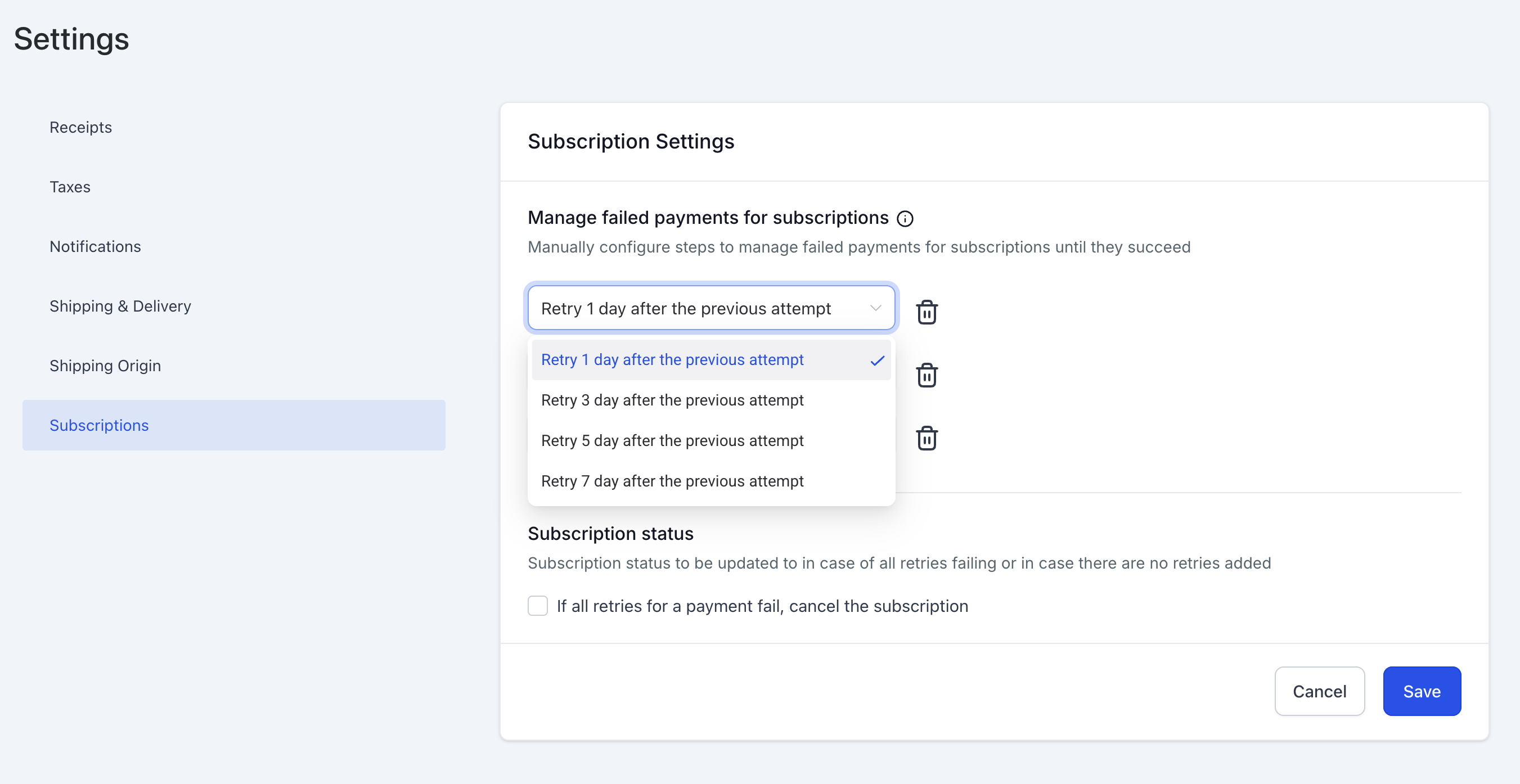
- Set Retry Gaps – Choose the gap duration between retries (1, 3, 5, or 7 days).
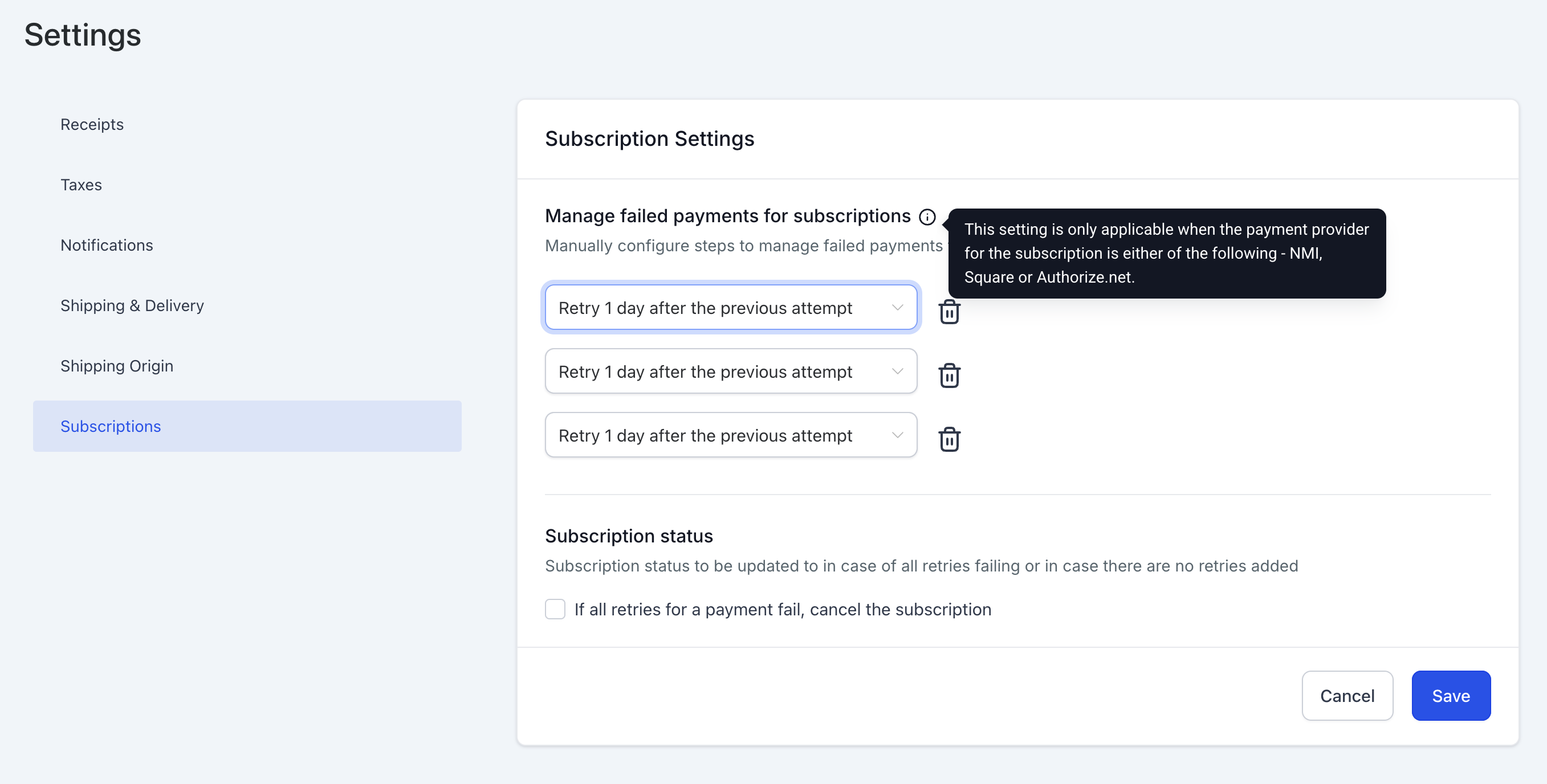
- Modify Existing Configurations – Any changes to retry settings will be applied to both new and ongoing subscription retries.
- Manage Subscription Status on Final Failure – Enable or disable the option to move failed subscriptions to the ‘Cancelled’ state automatically.
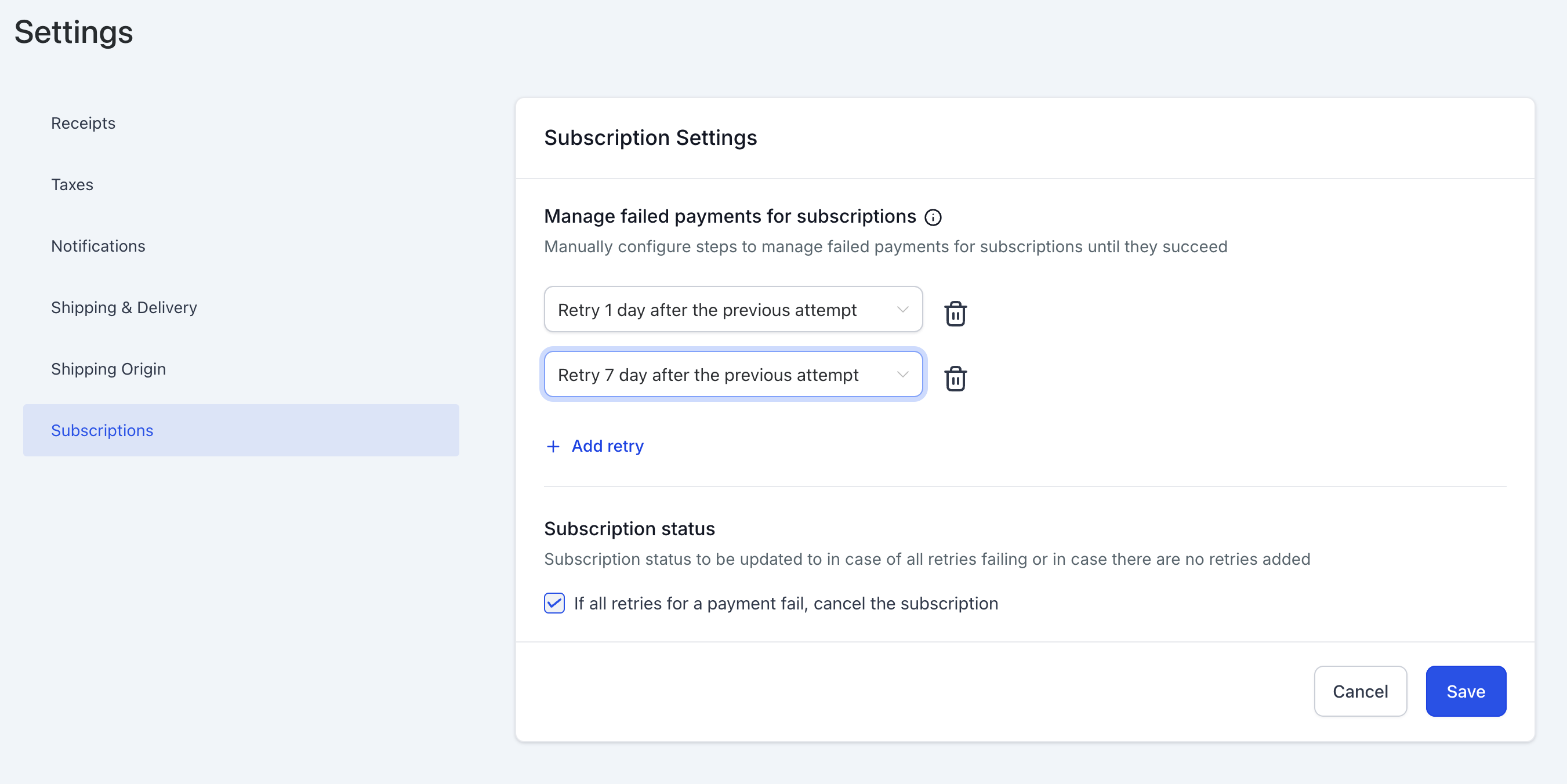
- Save Settings – Once configured, save your settings to apply changes immediately.
Example Scenario #
If a subscription is set to ‘3 retries with a gap of 3 days for each retry’ and one retry has already been attempted, but before the second retry, the settings are updated to ‘2 retries with a gap of 3 and 5 days respectively,’ then:
- The second retry will occur after 5 days instead of 3.
- No third retry will take place.
Supported Payment Providers #
This feature is available for the following payment providers:
- NMI
- Authorize.net
- Square
Frequently Asked Questions #
Q: How many retries can I configure for a failed payment?
A: You can configure up to 3 retries, with gaps of 1, 3, 5, or 7 days between each retry.
Q: Will changes in retry settings apply to existing subscriptions?
A: Yes, changes will be applied to both new and ongoing subscriptions, including those already in the retry process.
Q: What happens if all retries fail?
A: You can choose to either keep the subscription in the ‘Unpaid’ state or automatically move it to the ‘Cancelled’ state by selecting the appropriate option in settings.
Q: Where can I configure failed payment retries?
A: Navigate to Payments > Settings > Subscription to access the retry configuration options.
Q: Which payment providers support this feature?
A: Currently, this feature is supported by NMI, Authorize.net, and Square.


