With Blog Statistics, you can track how your blogs and blog posts are performing right inside Analytics. Here’s how you see it:
Go to Analytics and select Blogs option from the dropdown as seen below:
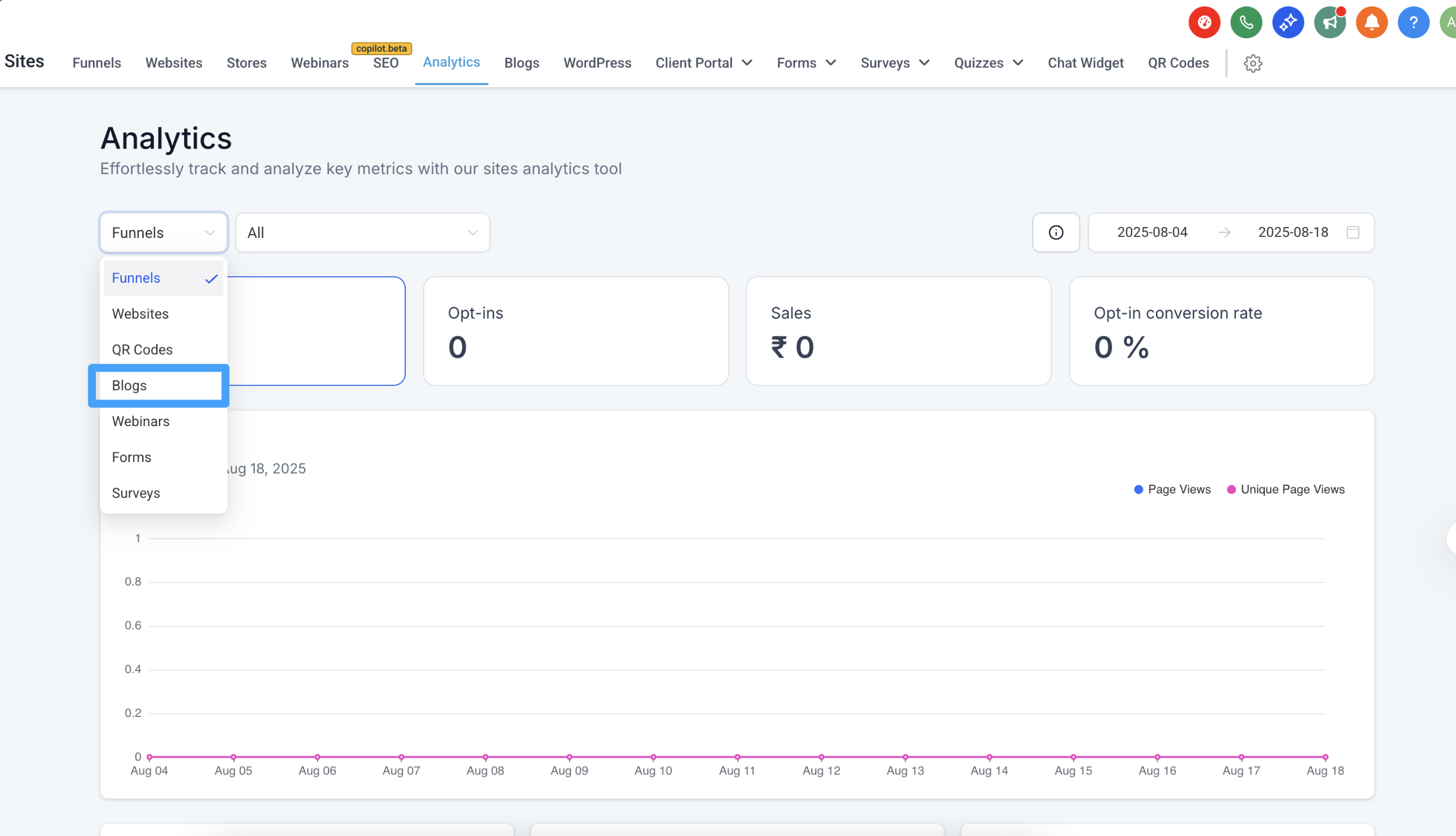
Now you can track all below mention metrics in a unified view under Analytics. #
1. Quick Performance Overview #
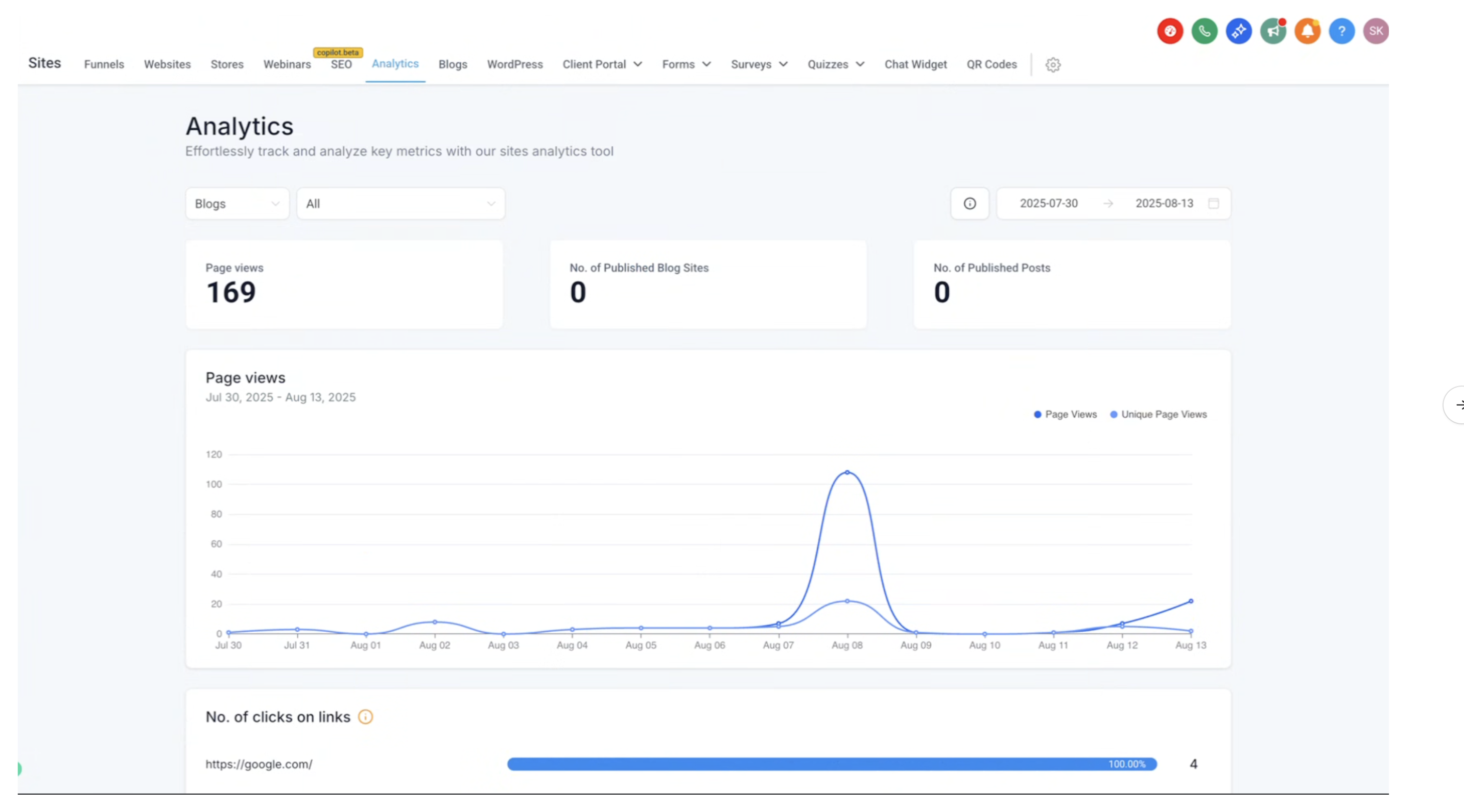
See the total number of page views, how many blog sites you’ve published, and the total number of posts you have
live.
2. Trends Over Time #
Check how your page views are growing (or dipping) over time with easy-to-read graphs.
 #
#
#
3. Top Performing Posts #
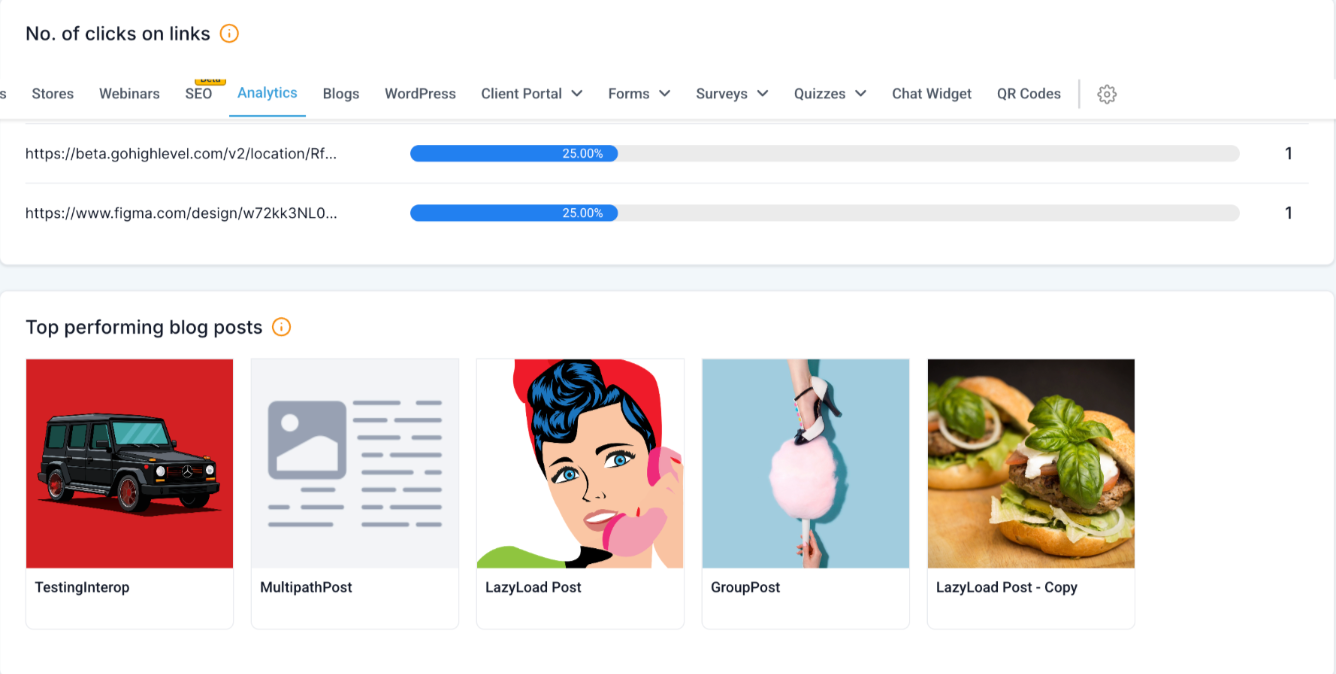
Find out which of your posts are getting the most attention. You’ll see the post title and thumbnail so you can quickly spot what’s working.
#
4. Link Click Tracking #
Want to know which links inside your posts are driving clicks? You’ll see exactly where readers are engaging.
 #
#
5. Device Breakdown #
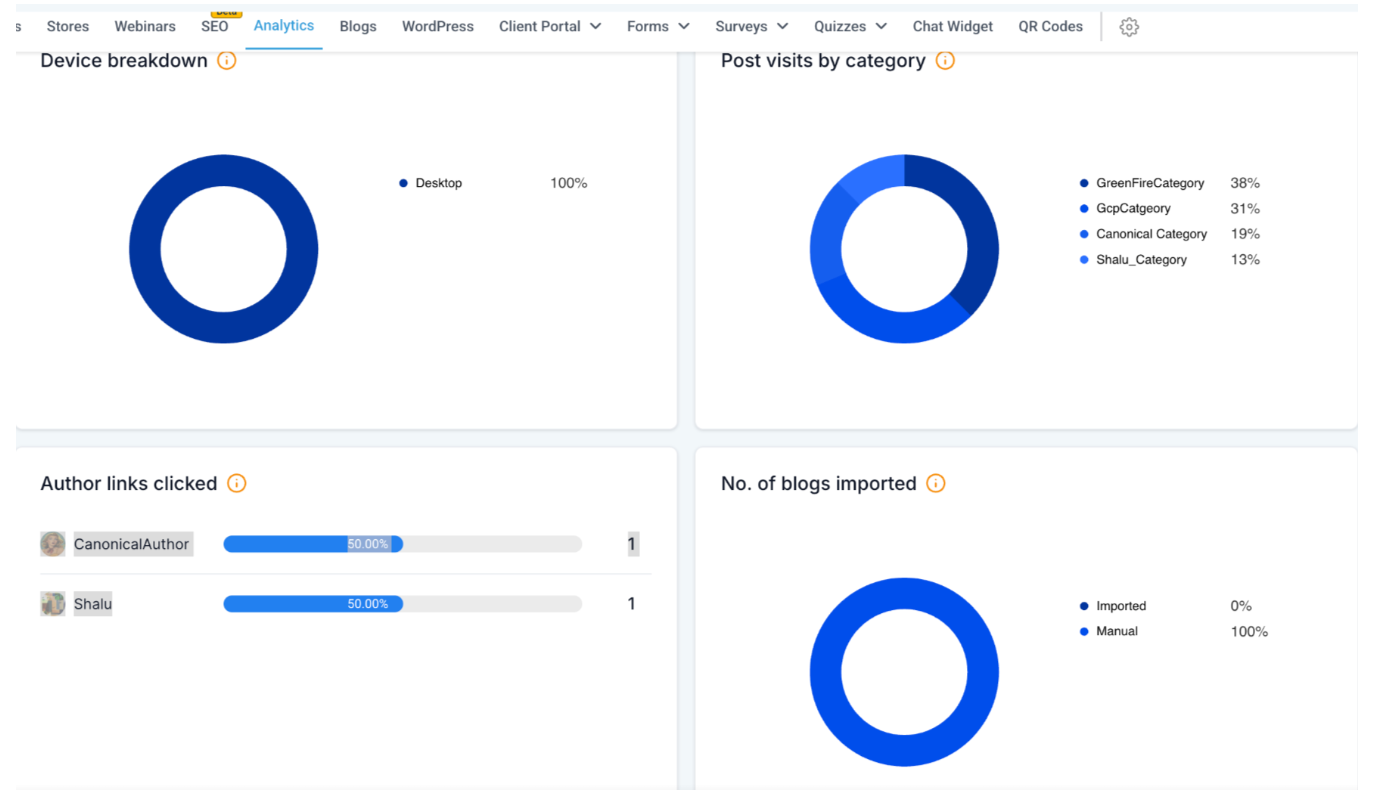
Understand where your readers are coming from—desktop, mobile, or tablet—so you can design content that fits their screen best.
#
6. Category Insights #
See how many visits each category of posts is getting. This helps you know what topics your audience cares about the most.
#
7. Author Insights #
Track clicks on author links to see which writers are getting the most engagement.
#
8. Import vs. Manual Tracking #
Check how many posts were imported versus created manually in the system.
FAQ
1. Who can access Blog Statistics? #
Blog Statistics are available to all users across all 3 plans.
#
2. From when is the data available? #
Blog statistics are captured starting 28th Aug, 2024. Any blog activity before this date will appear as “Unknown” in reports.


