Covered in this article: #
What’s visible in the preview mode #
Previewing your blog post within the builder #
Viewing mobile or desktop versions in preview mode #
What’s visible in the preview mode #
During the preview mode all the hyperlinks, videos, and author details will be clickable.
- Featured Image from SEO Blog Post
- Title of Blog Post
- Category (if they are added in publish screen)
- Publish date
- Read time
- Content of Blog post
- Tags (if they are added in publish screen)
- Author (if they are added in publish screen)
- Back to blog button (this will not be functional in preview)
Previewing your blog post within the builder #
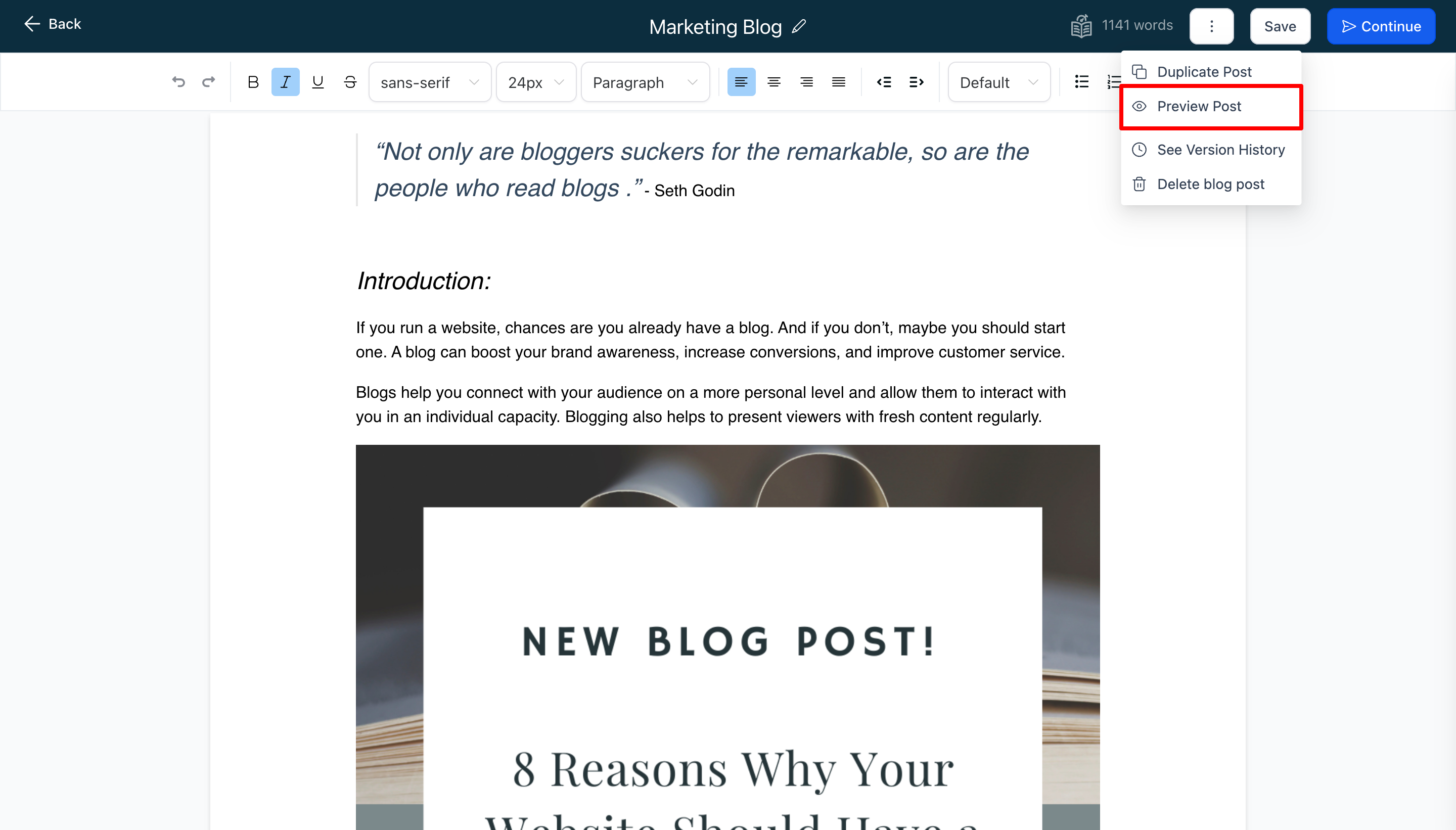
Click on the 3 dots located in the top right menu > This will open up a menu > Select “Preview Post“
Viewing mobile or desktop versions in preview mode #
In the preview mode, you will have the ability to switch between mobile and desktop screens. Simply click on the button located at the top to switch between the two screens.


