TABLE OF CONTENTS
- What are Survey Submissions?
- Key Benefits of Viewing Survey Submissions
- How To View Survey Submissions
- Viewing Survey Answers in Contact Records
- Exporting Survey Submissions
- Frequently Asked Questions
What are Survey Submissions? #
Survey submissions are records of answers provided by contacts who fill out your surveys. These submissions are stored in aiXios’s Submissions tab under the Surveys section and are also integrated into the contact’s profile depending on the fields used.
Key Benefits of Viewing Survey Submissions #
Understanding where to find survey answers helps ensure you never lose valuable customer insights and allows you to act on feedback quickly.
- Easily access all responses from one centralized area
- Export responses for analysis or record-keeping
- Automatically update contact records with submitted data
- Filter survey responses based on survey filled out
How To View Survey Submissions #
To access the answers submitted via your surveys:
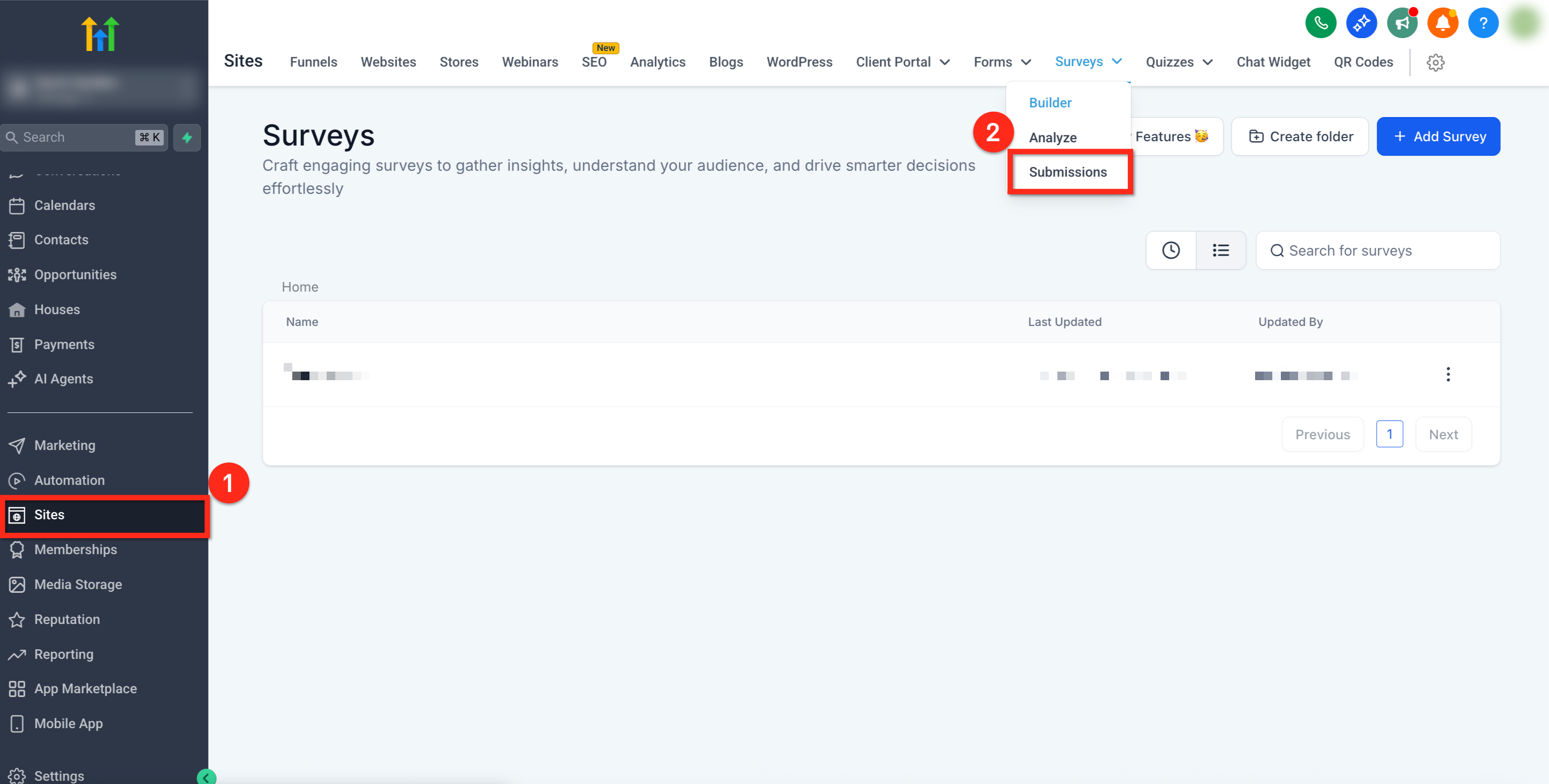
- Go to Sites from the main left-hand navigation.
- Hover over Surveys, then select Submissions from the dropdown menu.
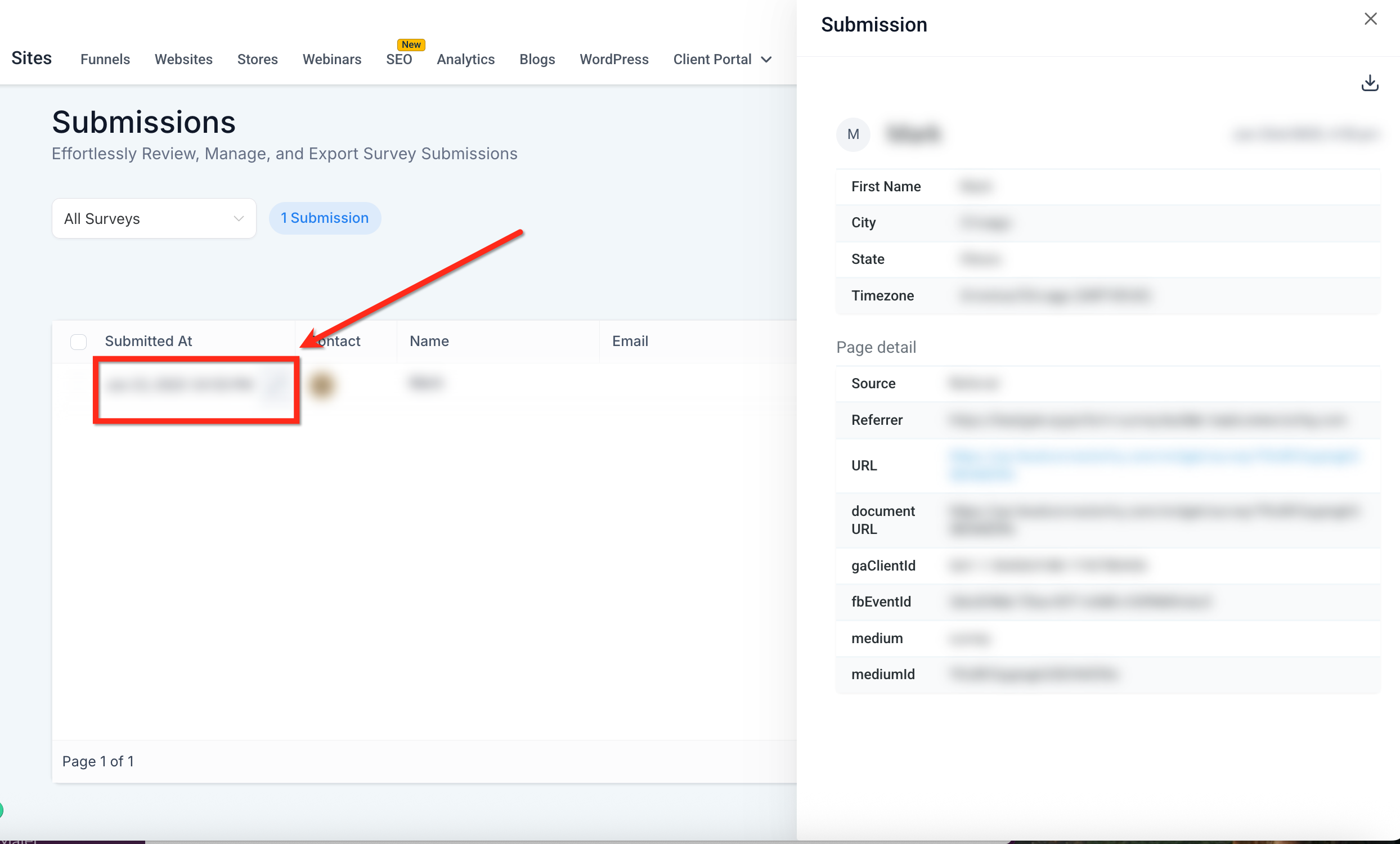
- The Responses table displays each submission, including contact details, timestamp, and all answered questions.
- Click on any individual entry to open detailed submission data.
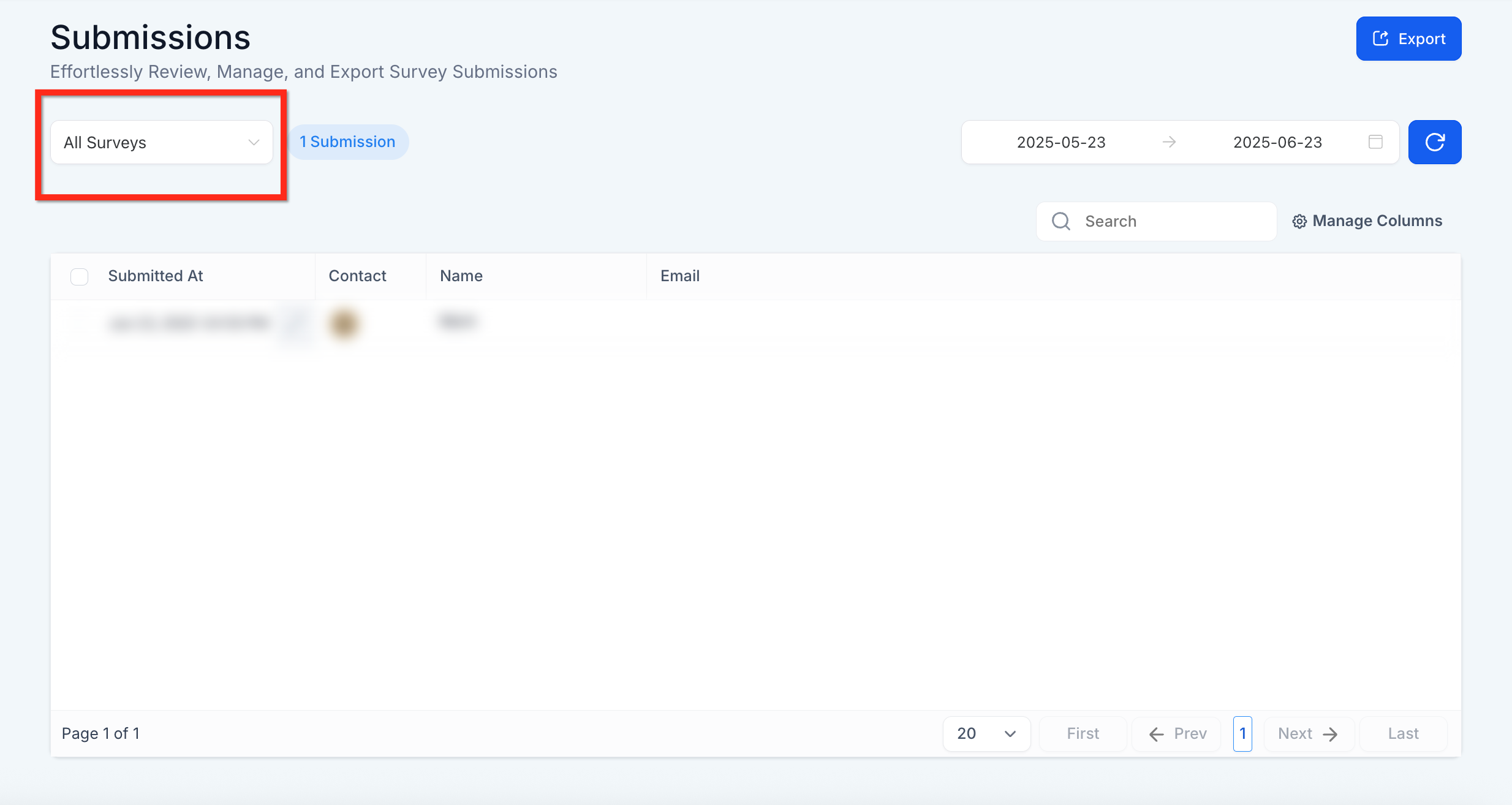
- Use the survey filter dropdown in the top-left corner to filter results by a specific survey.
Viewing Survey Answers in Contact Records #
Survey answers can also appear within the contact’s profile:
- Answers to mapped fields (like name, email, phone) automatically populate contact records.
- Other answers are show under the Survey | Survey Name dropdown within the contact information
Exporting Survey Submissions #
You can download your submissions for offline analysis or record-keeping by clicking the blue Export button at the top right of the submissions view. A download link will be emailed to you to download the survey submissions.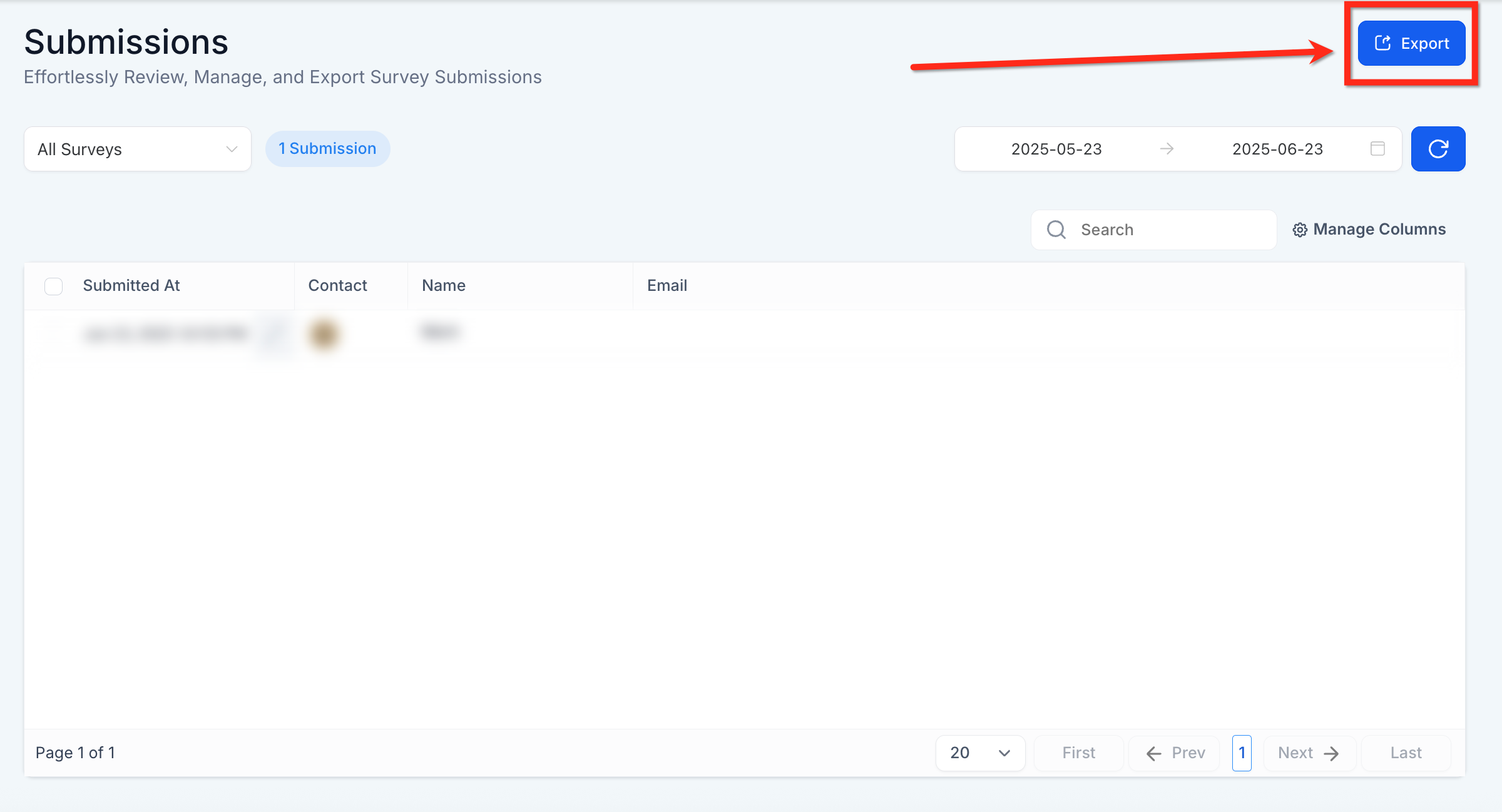
Frequently Asked Questions #
Q: Can I trigger automation based on survey answers?
Yes, use the “Survey Submitted” trigger in workflows to start automations.
Q: Do survey answers show up in the CRM automatically?
If the survey includes fields that match contact properties (e.g., email), those fields will update the contact record.
Q: Can multiple submissions from the same contact be tracked?
Yes, all submissions are tracked independently—even if a contact submits the same survey multiple times. This is useful for recurring feedback or event check-ins.
Q: Can I see which survey a response belongs to if I use multiple surveys?
Yes, each submission record shows the name of the associated survey and you can filter results by survey name using the dropdown.


