TABLE OF CONTENTS
Overview
Action Name
Action Description
Action Details
Example: Home Renovation Estimate
Overview #
The Send Estimate action makes it easy to send personalized estimates to your customers automatically whenever specific events occur like creation of opportunities or movement from one stage to other.
Action Name #
Send Estimate
Action Description #
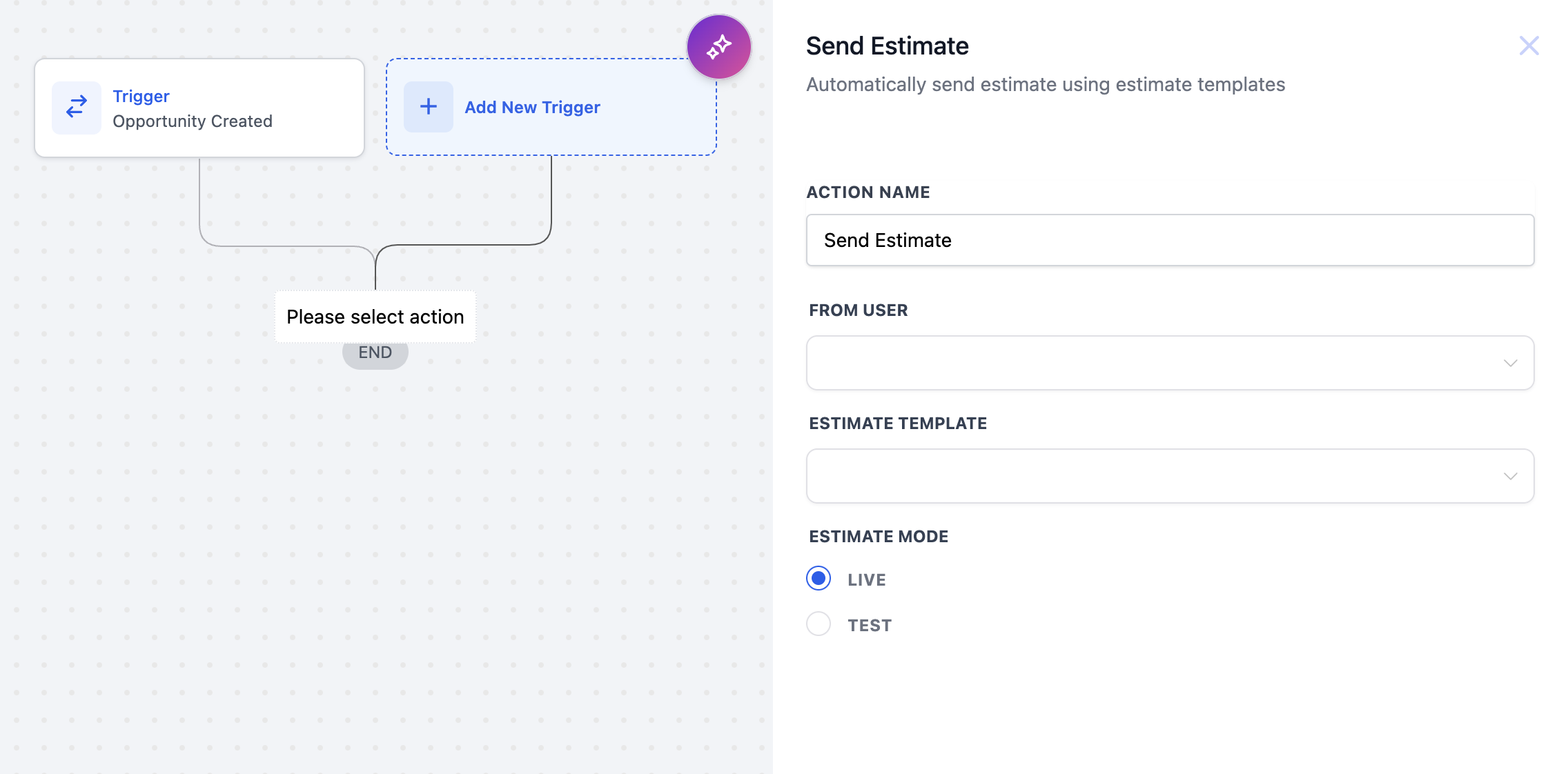
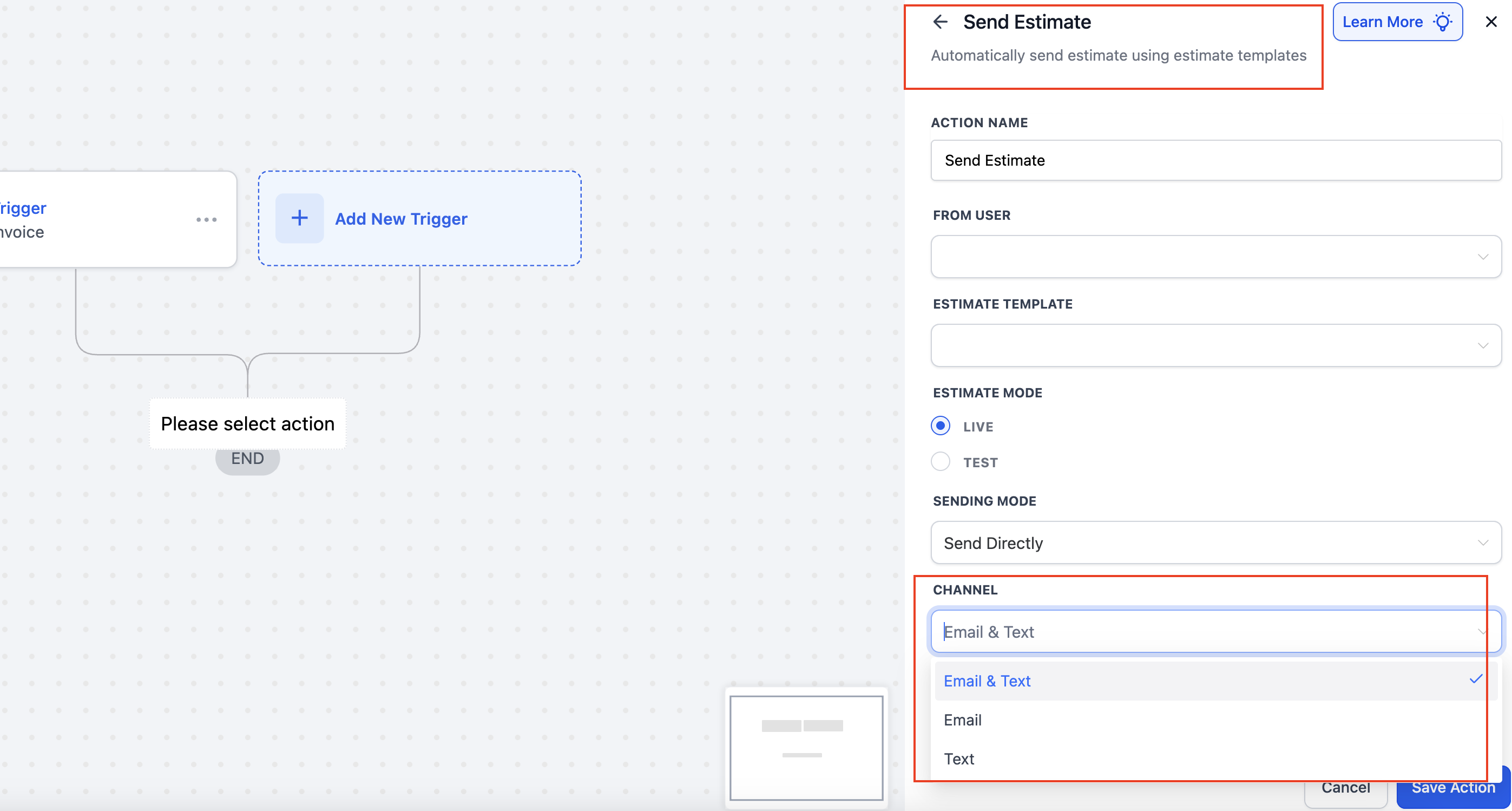
This action enables the workflow to send a customized estimate using a template to a customer upon the occurrence of a specified trigger. Users can select templates and designate the estimate mode as live or test.
Action Details #
| Value Name | Description | Mandatory |
|---|---|---|
| Action Name | Descriptive name for the action. | Yes |
| From User | The user responsible for sending the estimate. | Yes |
| Estimate Template | The template used to format the estimate content. | Yes |
| Estimate Mode | Choose Live for actual estimates or Test for trials. | Yes |
| Channel | Select the Channel (Email, SMS, or Email & SMS) for delivery of the Estimate | Yes |
Example: Home Renovation Estimate #
Scenario: A home renovation company wants to send estimates promptly when a potential client shows interest.
Setup:
- Trigger: Opportunity Created (or any other relevant trigger)
- Action Name: Send Home Renovation Estimate
- From User: Sarah Johnson
- Estimate Template: Home Renovation Proposal
- Estimate Mode: Live
Outcome: When the specified trigger occurs, the selected estimate is automatically sent to the customer, improving conversion potential.