TABLE OF CONTENTS
- Why This Happens
- How to Fix It ?
- Step 1: Check your Phone Number Capabilities
- Step 2: Buy a New Number (If Needed)
- Step 3: Use Phone Number Assignment Feature
Why This Happens #
The number assigned to your aiXios location supports voice only—not SMS. As a result, any attempt to send a text message from that number will fail with the error above.
How to Fix It ? #
Step 1: Check your Phone Number Capabilities #
- Go to the Location settings > Phone Numbers > Manage Number
- Click on 3 dots > Number Info on purchased phone Number as in Screenshots below
- Check whether the number you have purchased have both SMS and Voice capabilities.
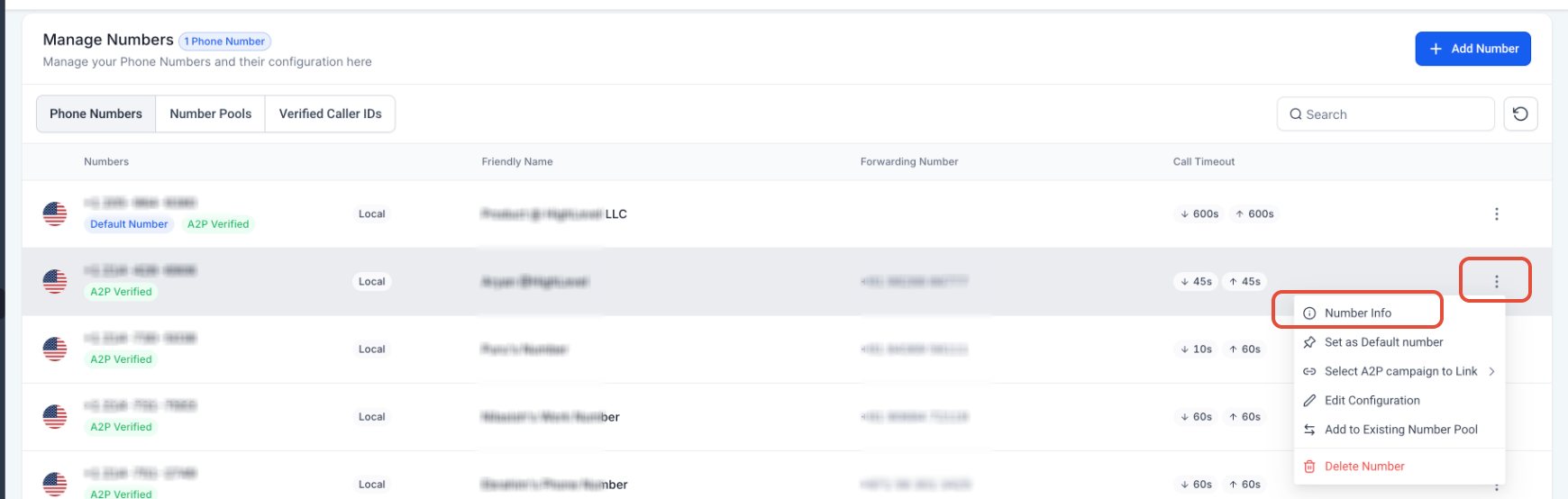
Click on 3 dots > Number Info on purchased phone Number
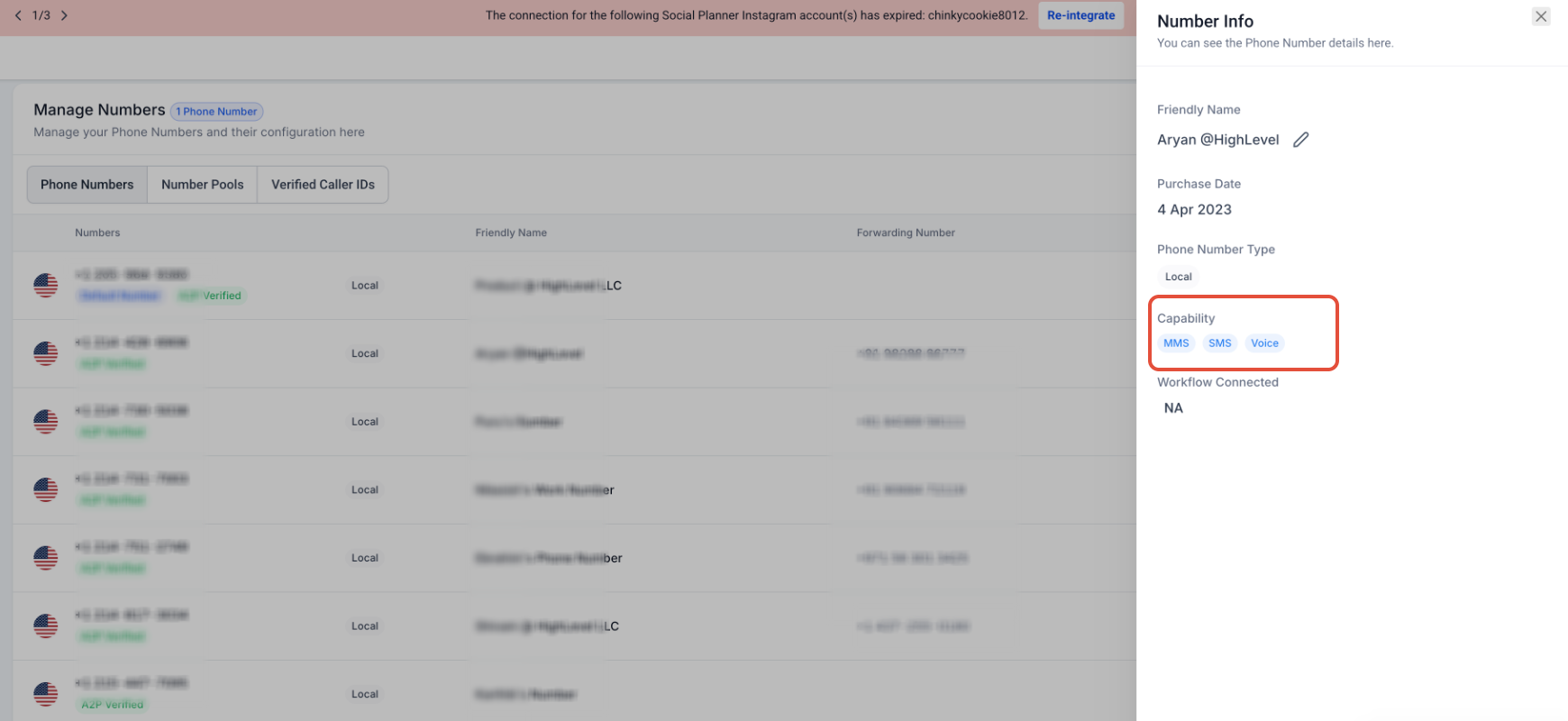
Number info window opens in right pane, check number capabilities here
Step 2: Buy a New Number (If Needed) #
If your current number doesn’t support SMS and Voice, you’ll need to buy one that does:
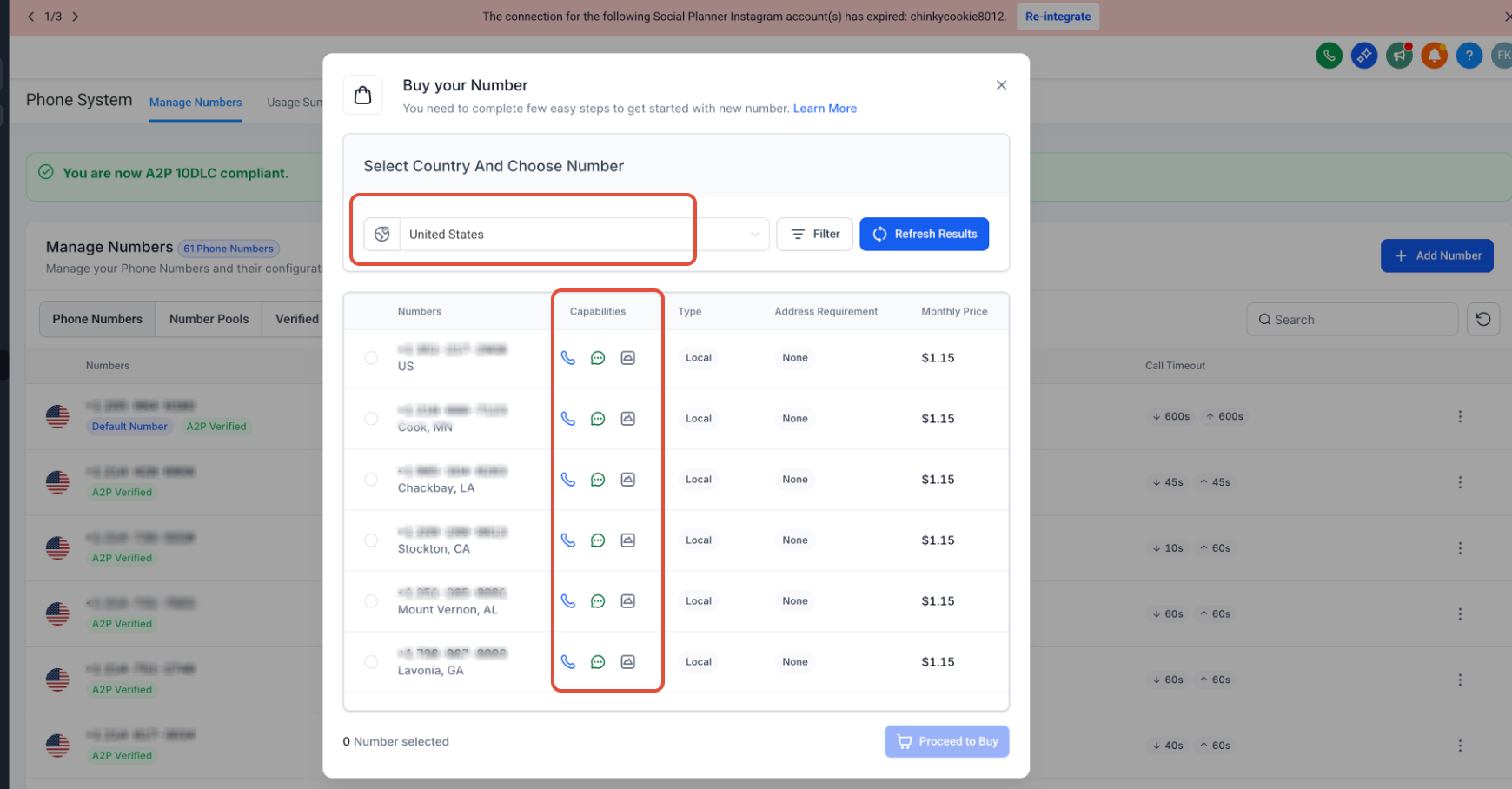
- Go to the Location settings > Phone Numbers > Manage Number > Add New Number
- Look up your country.
- Make sure to choose numbers that support both SMS ? and Voice ? in that country.
Step 3: Use Phone Number Assignment Feature #
If the country doesn’t offer SMS+voice capable Twilio numbers, Here’s how to use the phone assignment feature for SMS/Voice capable phone number setup:


