TABLE OF CONTENTS
- What Is a Popup That Shows on Page Load?
- Key Benefits of Using a Page Load Popup
- How to Set a Popup to Show on Page Load
- Step 1: Navigate to the Popup
- Step 2: Configure the Popup Settings
- Frequently Asked Questions
What Is a Popup That Shows on Page Load? #
A page load popup is a type of message or form that automatically appears shortly after a visitor arrives on your website or funnel page—without them clicking or scrolling. This kind of popup is triggered by a timing setting (like a 2-second delay) and is used to grab the visitor’s attention right away. It’s commonly used to promote time-sensitive offers, capture leads, or display welcome messages that encourage action early in the visit.
Key Benefits of Using a Page Load Popup #
- Automation: Automatically launch popups without requiring the user to click anything.
- Lead generation: Perfect for growing email lists or offering limited-time deals the moment a user lands.
- Conversion optimization:Use immediate popups to boost funnel conversions with time-sensitive CTAs.
- Behavior targeting: Choose exactly when the popup should appear with a customizable delay timer.
- Broad compatibility: Works on both Funnels and Websites inside the aixios platform.
How to Set a Popup to Show on Page Load #
Follow these steps to configure a popup that automatically appears after a user lands on a page.
Step 1: Navigate to Popup Settings #
- In the left-hand menu of your sub-account dashboard, click on Sites. Then choose either Funnels or Websites tab in the upper navigation bar.
- Open your chosen funnel or website and click on the specific step or page where the popup should be added.
- Click the blue button labeled Edit to launch the page editor.
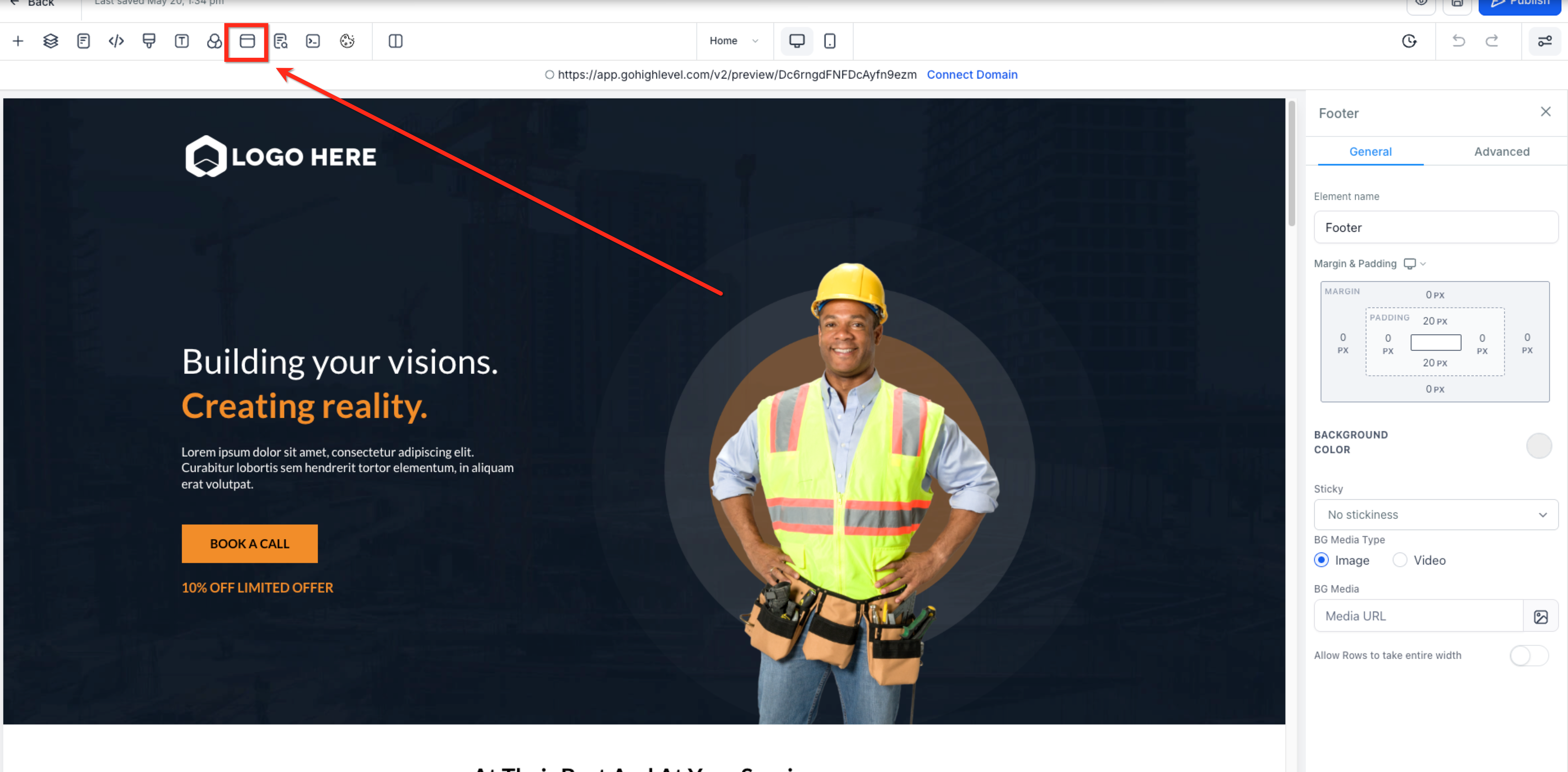
- In the top menu bar of the website builder, click the PopupSettings icon to open the popup settings.
Step 2: Configure the Popup Settings
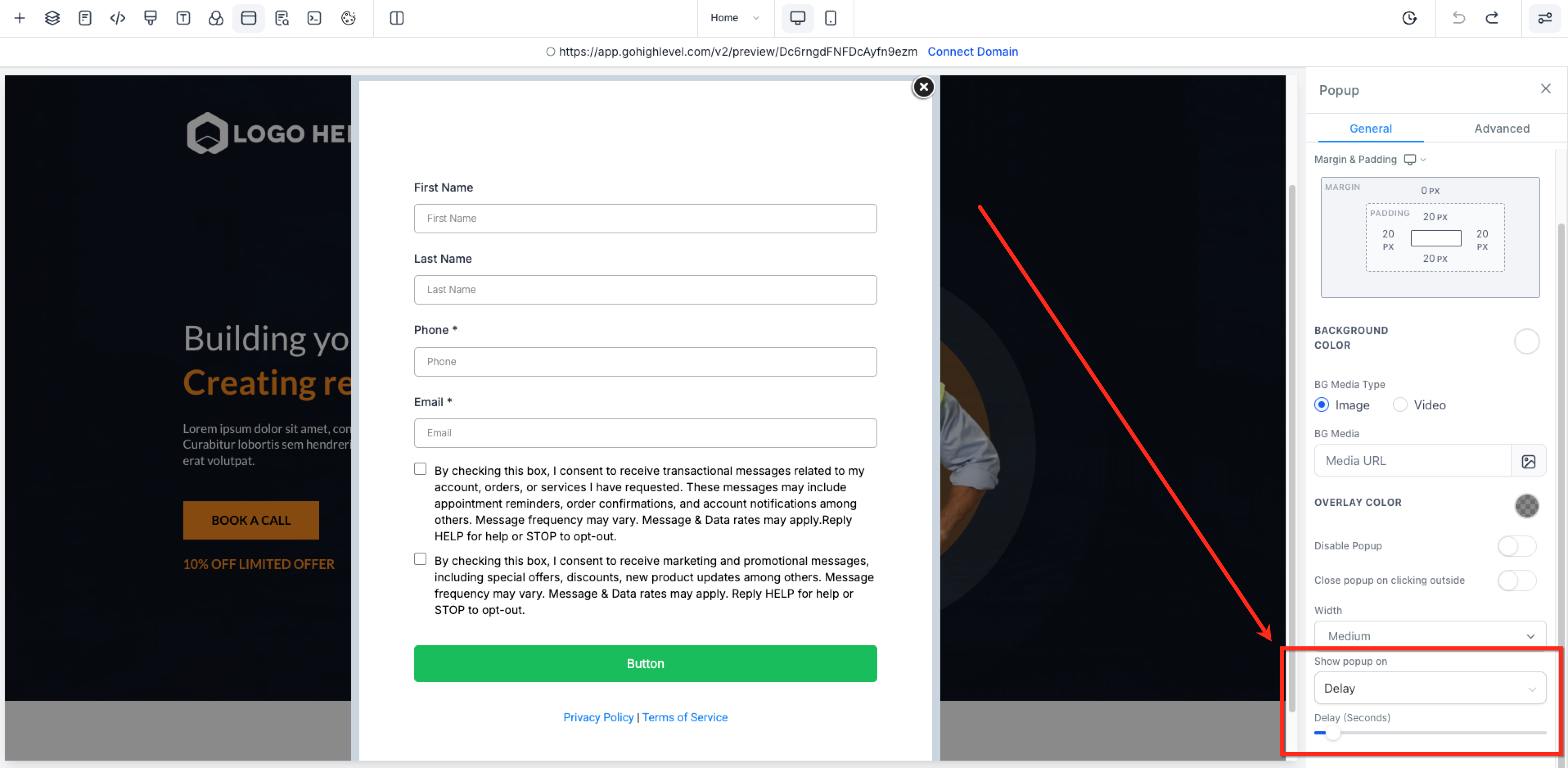
- In the Popup Settings panel on the right side, scroll down to find the Show Popup on dropdown. Select Delay from the list.
- Use the slider just below the dropdown to select how many seconds after page load the popup should appear.
- Click Save or Publish in the top-right corner of the editor to apply the popup settings.
Frequently Asked Questions #
Q: Can I set the popup to show only once per visit or session?
No, the popup will appear each time the page loads unless the visitor stays on the same page.
Q: What if I want the popup to show when someone tries to leave?
Use the “Exit” option on the “Show popup on” dropdown to create a popup that triggers when the user moves their cursor toward the browser toolbar.
Q: Can I use this on both Funnels and Websites?
Yes! The feature works identically for both, and the setup process is exactly the same.
Q: What happens if the popup is opened manually before the delay time is reached?
If the popup is triggered manually (e.g., by a button click) before the delay timer finishes, the automatic popup will be canceled. This prevents the same popup from appearing twice during the same page view.


