The Summarize Text action uses AI to automatically condense long content into concise summaries. Simply specify your desired summary length and input text, and the action will generate a shortened version while preserving key information.
How It Works #
The action processes your input text through AI to:
- Identify key points and main ideas
- Remove redundant information
- Restructure content to fit your specified length
- Maintain context and readability
Setup Instructions #
Step 1: Add the Action #
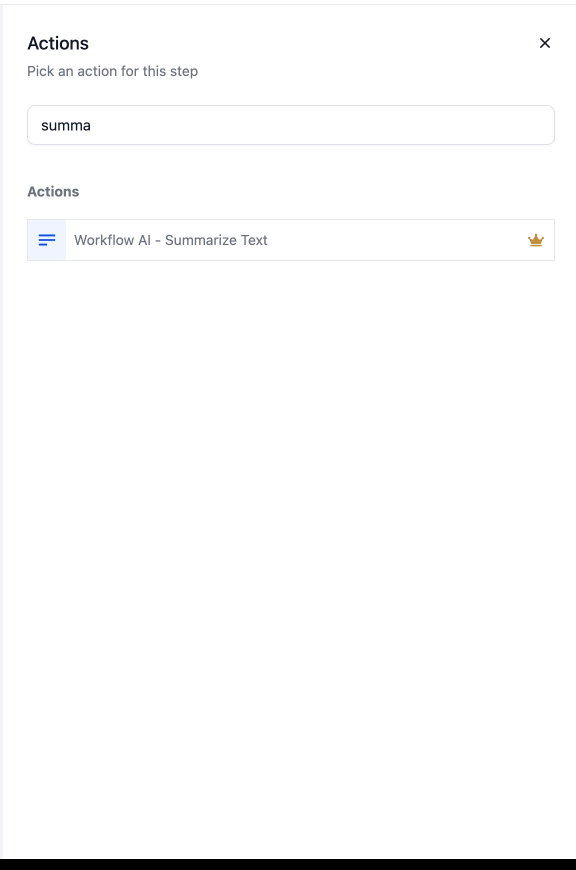
Search for “Summarize Text” in the workflow actions menu and add it to your workflow.
 #
#
Step 2: Configure Settings #
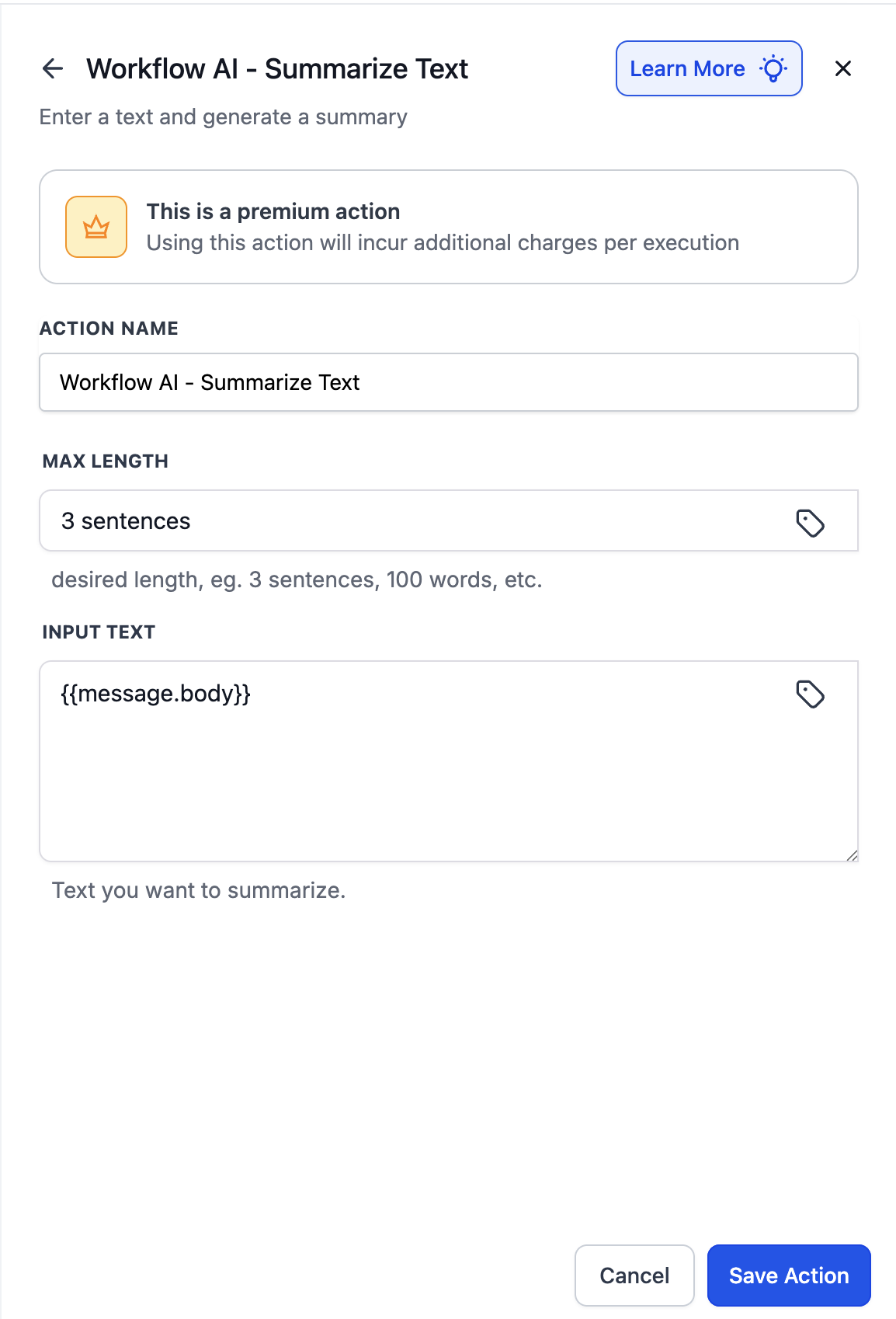
- Action Name: Give your action a descriptive name (e.g., “Summarize Customer Review”)
- Max Length Input: Specify your desired summary length
- Number of words (e.g., “50 words”)
- Number of characters (e.g., “280 characters”)
- Number of sentences (e.g., “3 sentences”)
- Number of paragraphs (e.g., “1 paragraph”)
- Input Text: Provide the text to summarize
- Static Value: Enter text directly
- Dynamic Variable: Use custom value picker for variables
- Save: Click save to complete the setup
 #
#
Using the Output #
After configuration, the summarized text is available as a custom variable:
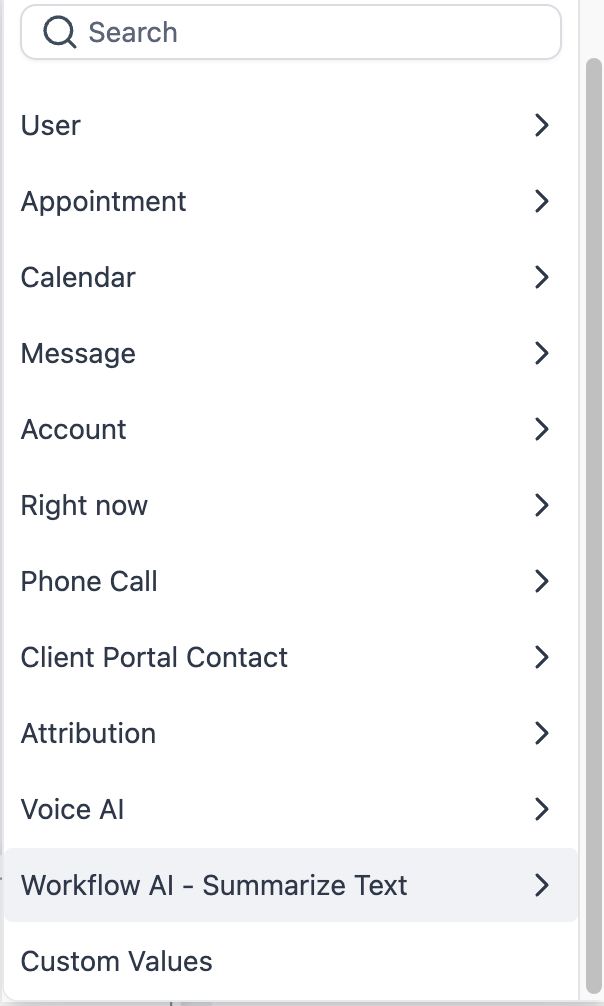
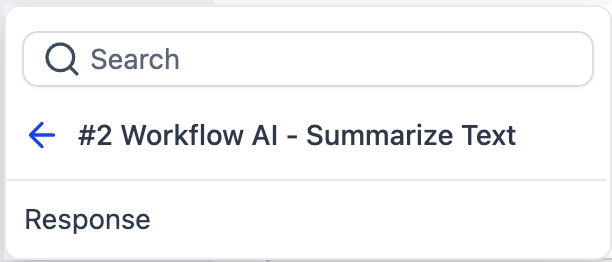
This variable can be used in subsequent workflow actions such as:
- Sending summary via SMS or email
- Storing in custom fields
- Displaying in notifications
- Passing to other workflow actions

Example Use Cases #
SMS-Friendly Appointment Notes #
Trigger: Appointment Booked
Input: Detailed appointment notes from form
Max Length: 160 characters
Action: Send confirmation SMS with summary
#
Pipeline Stage Change Summary #
Trigger: Opportunity Stage Changed
Input: All opportunity notes and activities
Max Length: 1 paragraph
Action: Email summary to account manager
Review Response Summary #
Trigger: Review Received (Google/Facebook)
Input: Full customer review text
Max Length: 50 words
Action: Post to team Slack channel
Meeting Notes Condensation #
Input: Full meeting transcript
Max Length: 1 paragraph
Output: Executive summary for stakeholders
Pricing #
- Cost: 1 cent ($0.01) per execution
- Part of Premium Actions suite
Frequently Asked Questions #
Q: Can I summarize multiple messages or concatenated text?
A: Yes, you can combine multiple text sources using custom values before summarizing.
Q: Can I chain multiple summarize actions?
A: Yes, you can progressively summarize content—first to 500 words, then to 100 words in a second action.
Q: How accurate are the summaries?
A: The AI maintains high accuracy for key information while removing redundant details. Always test with sample data first.
Q: Is there a way to exclude certain information from summaries?
A: Currently, the AI decides what’s important. For specific exclusions, consider preprocessing the text with other workflow actions first.


