TABLE OF CONTENTS
Overview
Feature Benefits
How It Works
Use Cases
FAQs
Need Help?
Overview #
We’ve introduced a new feature in workflows—T&C Filter, allowing accounts to filter users based on whether they agreed to the Terms and Conditions (T&C) or not. This enhancement helps streamline user targeting and ensures workflow steps are aligned with compliance requirements.
Feature Benefits #
- Improved User Segmentation: Filter users based on their T&C agreement status.
- Enhanced Compliance: Ensure only users who have agreed to specific terms and conditions proceed in workflows.
- Customizable Workflow Paths: Create targeted user journeys by setting conditions for users who agreed or did not agree to the T&C.
How It Works #
1. Adding the T&C Filter to Your Workflow #
- Navigate to the Workflows section.
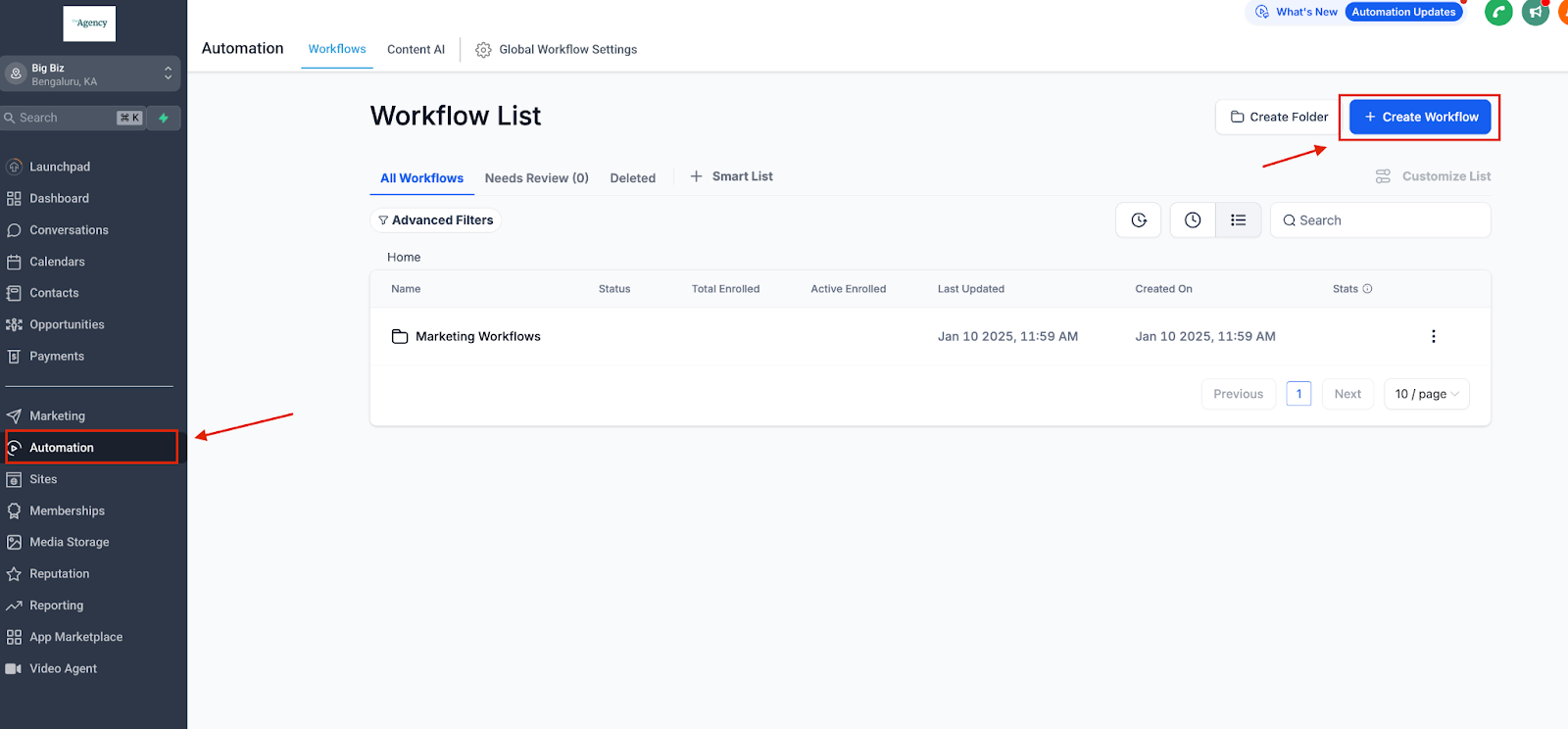
- Select the workflow you want to modify or create a new one.
- Select workflow trigger – ‘Form Submitted’, ‘Quiz Submitted’ or ‘Survey Submitted’
- Click Add Filters.
- Choose the T&C Filter option.
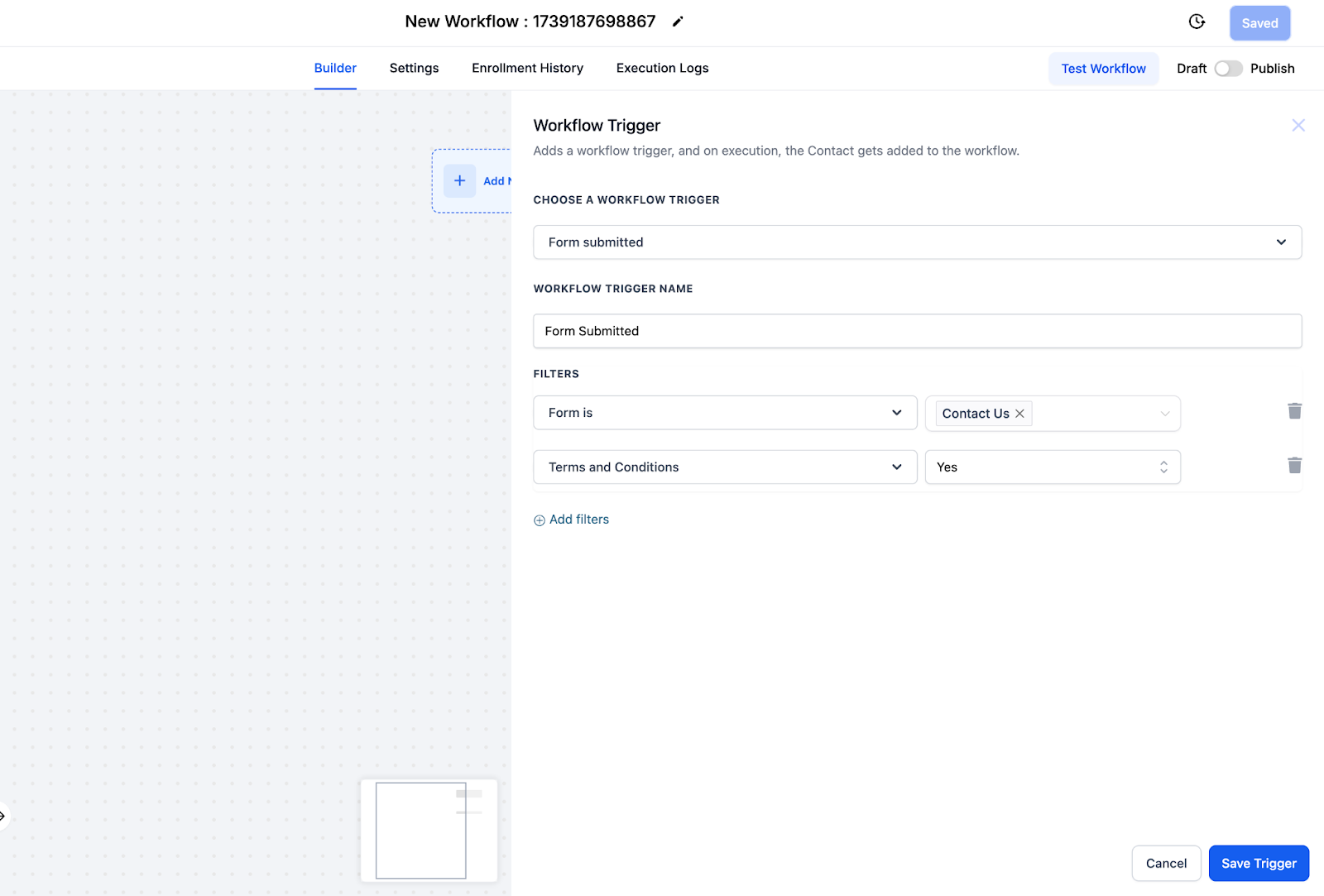
2. Configuring the Filter #
- Condition Options:
- Users who have agreed to the T&C.
- Users who have not agreed to the T&C.
- Apply the filter to the relevant step in your workflow.
3. Save and Test #
- Save your workflow changes.
- Run a test to verify that the filter behaves as expected.
Use Cases #
- Promotional Offers: Exclude users who haven’t agreed to updated terms from receiving specific offers.
- Feature Access: Restrict access to premium features based on T&C agreement.
- Compliance Management: Ensure only compliant users participate in regulated workflows.
FAQs #
1. Can I combine the T&C filter with other filters?
Yes, the T&C filter can be used alongside other workflow filters for more advanced segmentation.
2. What happens to users who haven’t interacted with the T&C?
They will be categorized as “Not Agreed,” ensuring clarity in your workflow decisions.
Need Help? #
If you have questions or need assistance, contact support.


