Overview #
The new Commission Length and Variable Commissions Over Time features allow you to customize how and for how long affiliates are rewarded for recurring product sales.
- Commission Length: Pay affiliates for a limited number of transactions instead of indefinitely.
- Variable Commissions: Offer different commission rates for specific charge counts.
Step 1: Create or Edit an Affiliate Campaign
If you’re new to affiliate campaigns, click here for a guide on creating campaigns.
Step 2: Set the Default Commission
In Step 2 of the campaign setup, add the default commission value that affiliates will earn by default.
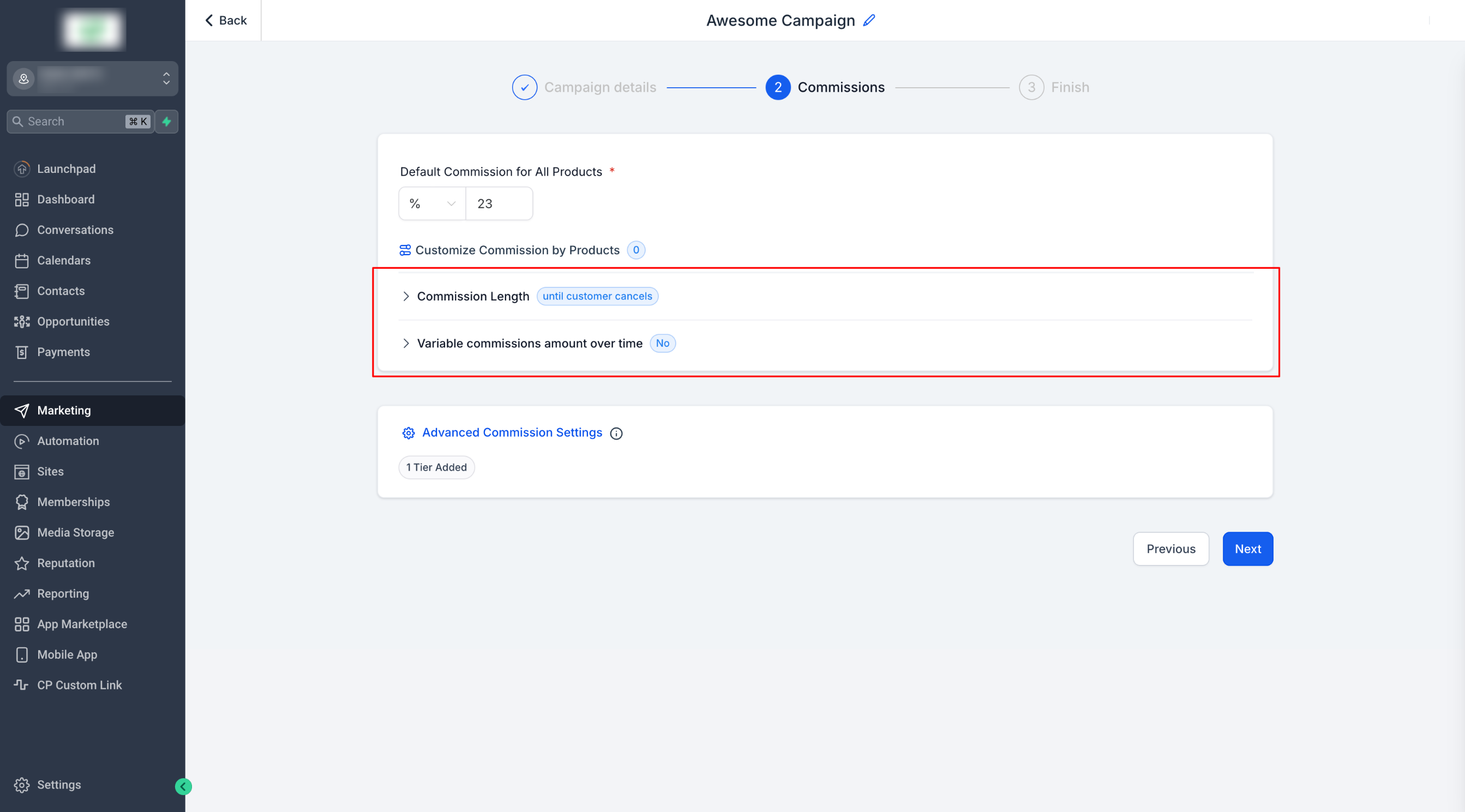
Step 3: Enable Commission Length
Click Commission Length.
By default, commissions are given until the customer cancels.
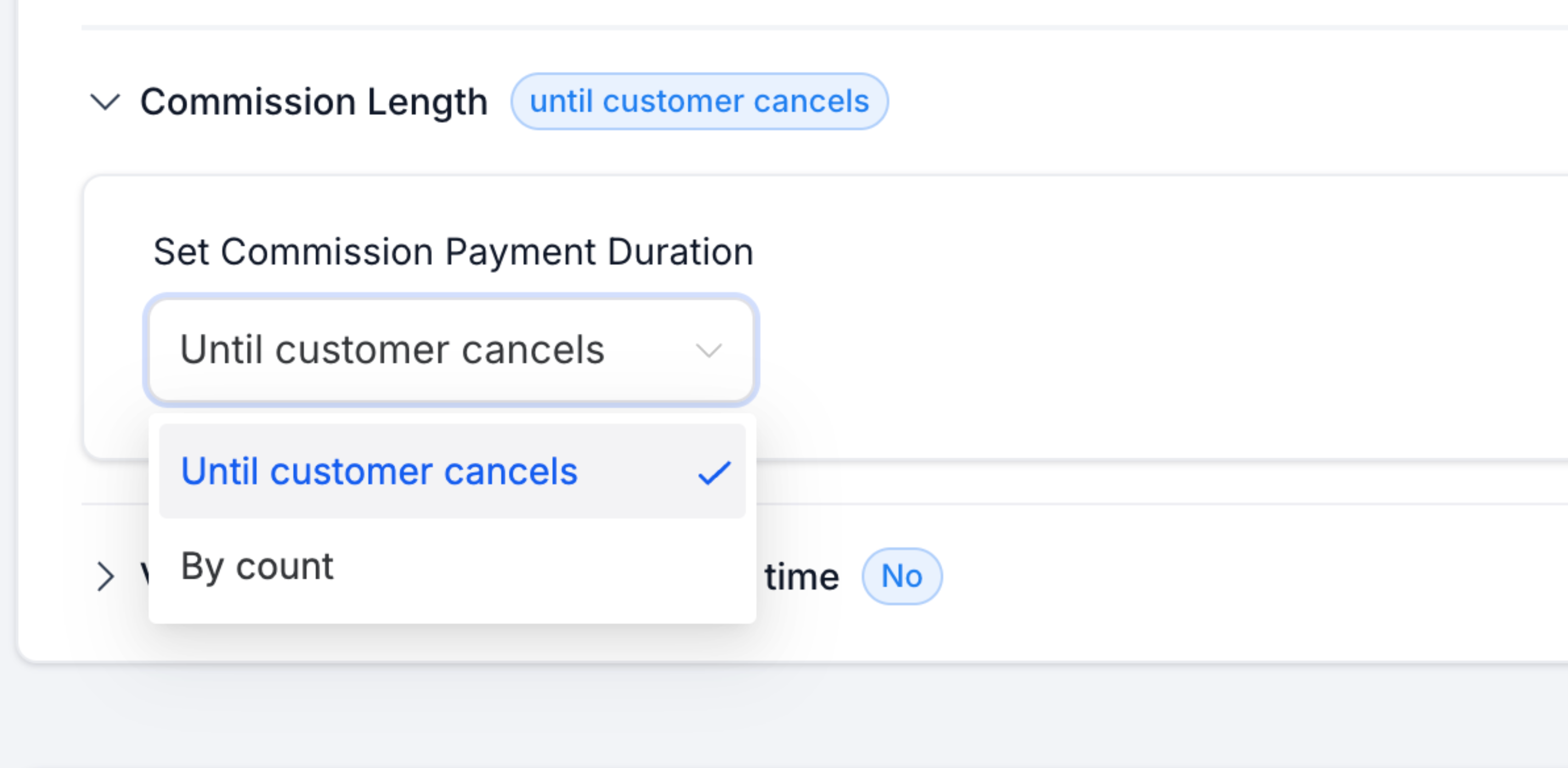
- Choose “By Count” to set a limit on the number of charges.
- Example: If the limit is set to 3, the affiliate will earn a commission only for the first 3 charges.
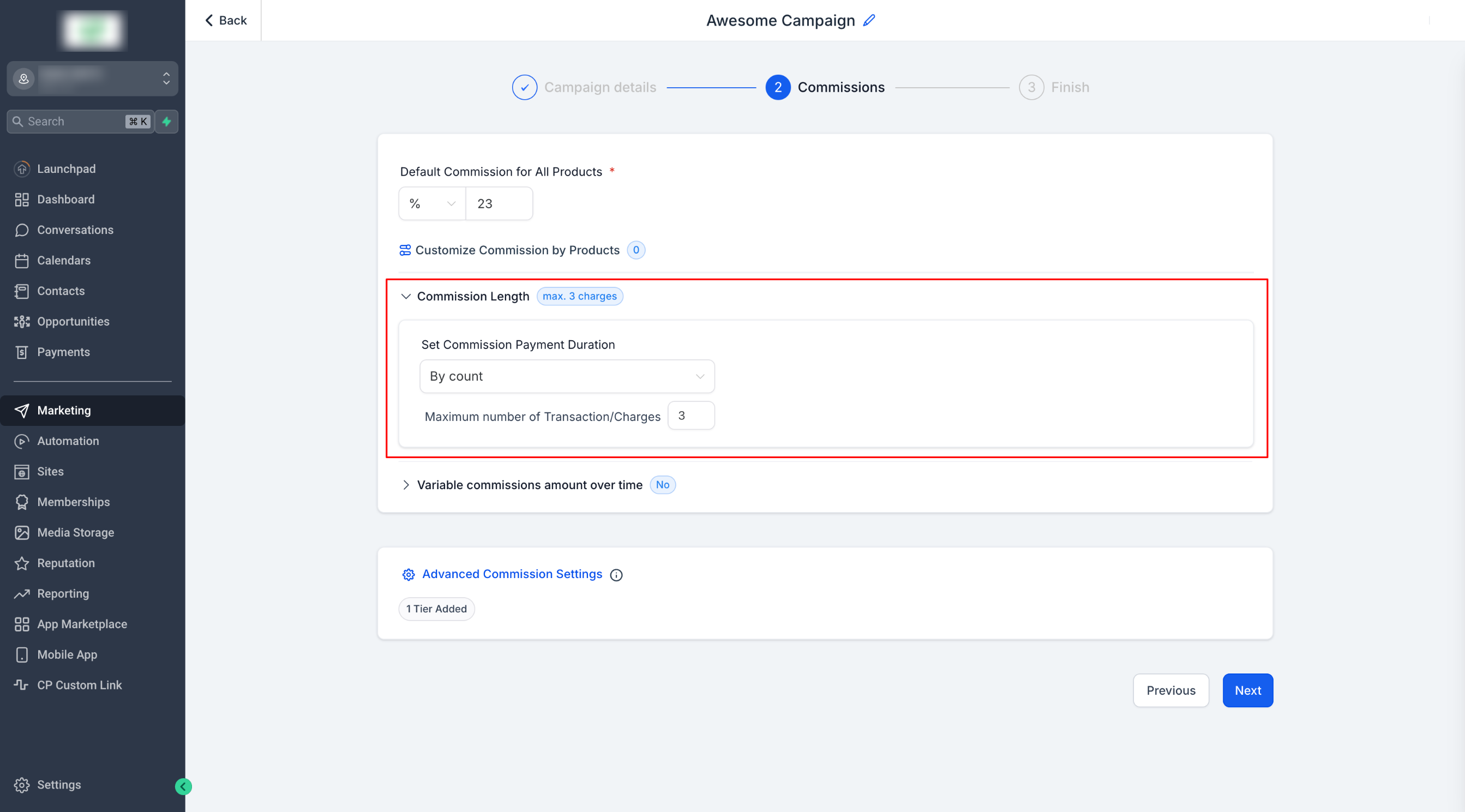
- Note: The limit applies to charges, not time intervals. Whether the subscription is monthly or yearly, commissions are based on the number of successful charges.
Step 4: Set Variable Commissions Over Time #
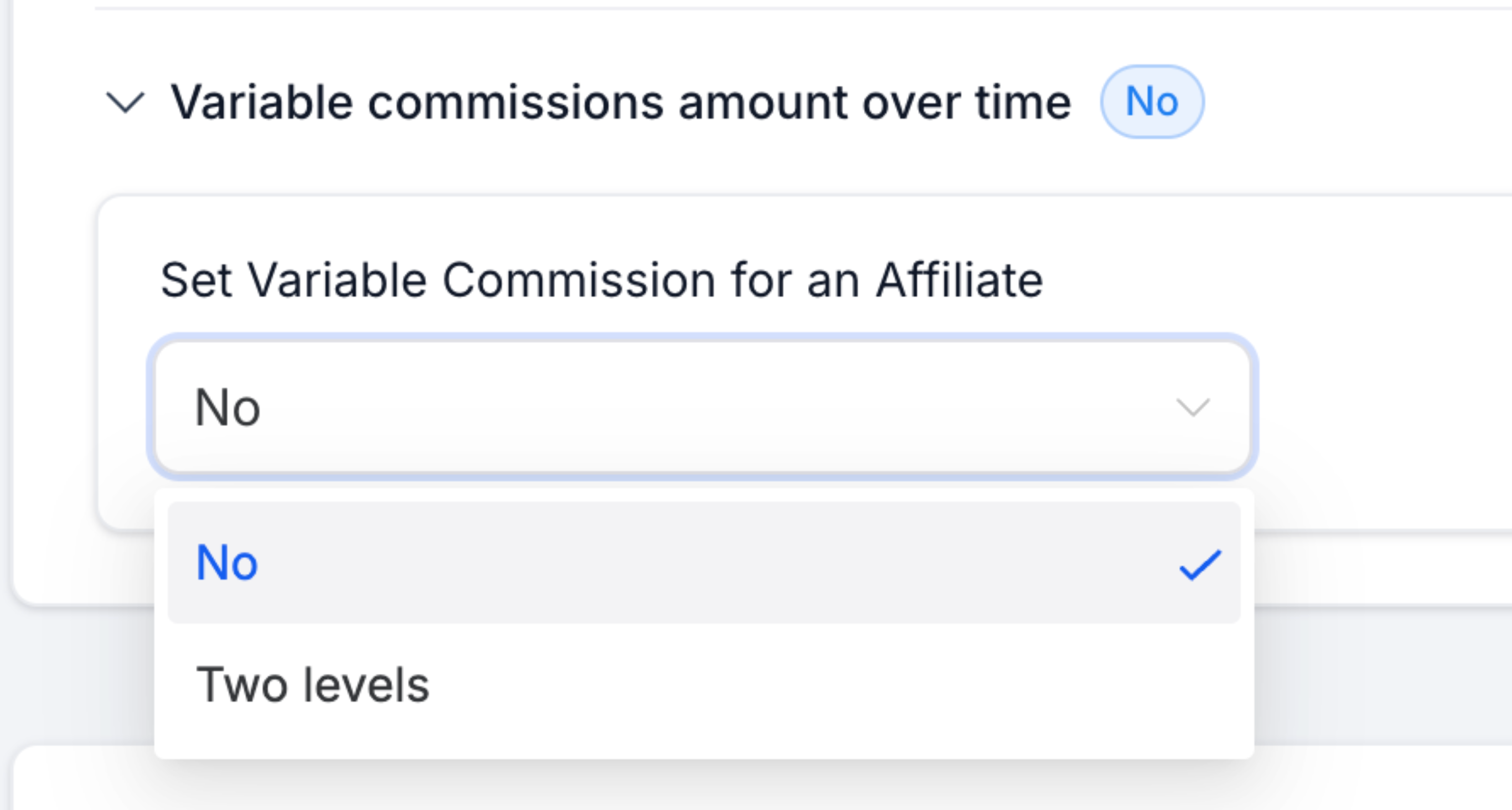
- Toggle Variable Commissions to enable this feature.
- Select Two Levels to define different rates for specific charge counts
- Example: “For the first 3[You can configure this number] charges, the commission is 33%[You can configure this number]; and 23%[This is the default commission] after.
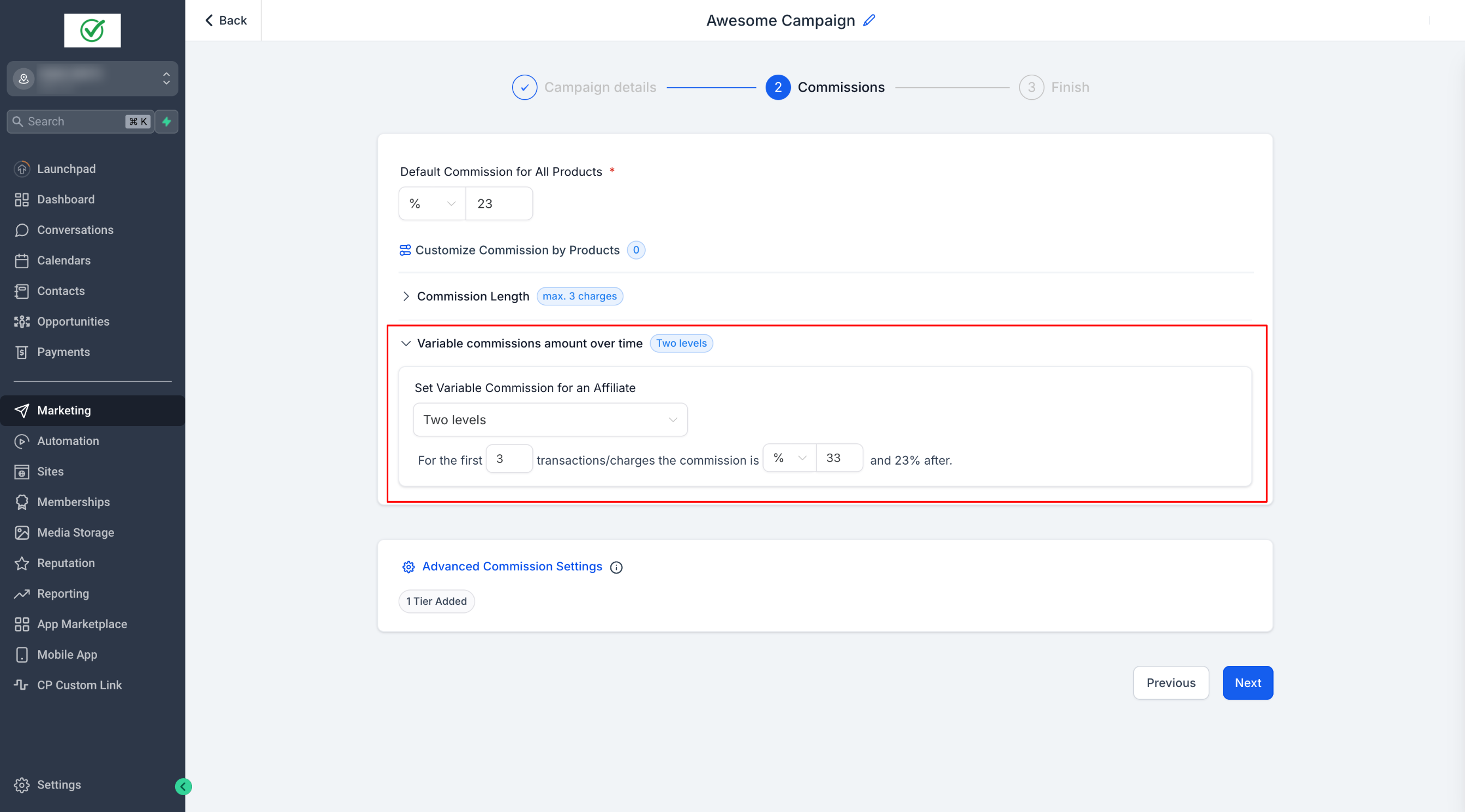
- If needed, configure additional tiers for more granular control.
Step 5: Publish Your Campaign #
- Save the campaign, and your updated commission settings will be applied.
Please Note:
Commission Priority Order
1. Product-Based Commissions
2. Variable Commissions
3. Default Commissions

This ensures that specific commission settings take precedence over general ones.


